Message a client and comment on their workouts
Message one client from the roster or their page, send photos, voice and video, and reply to a finished workout with a comment they are notified about.
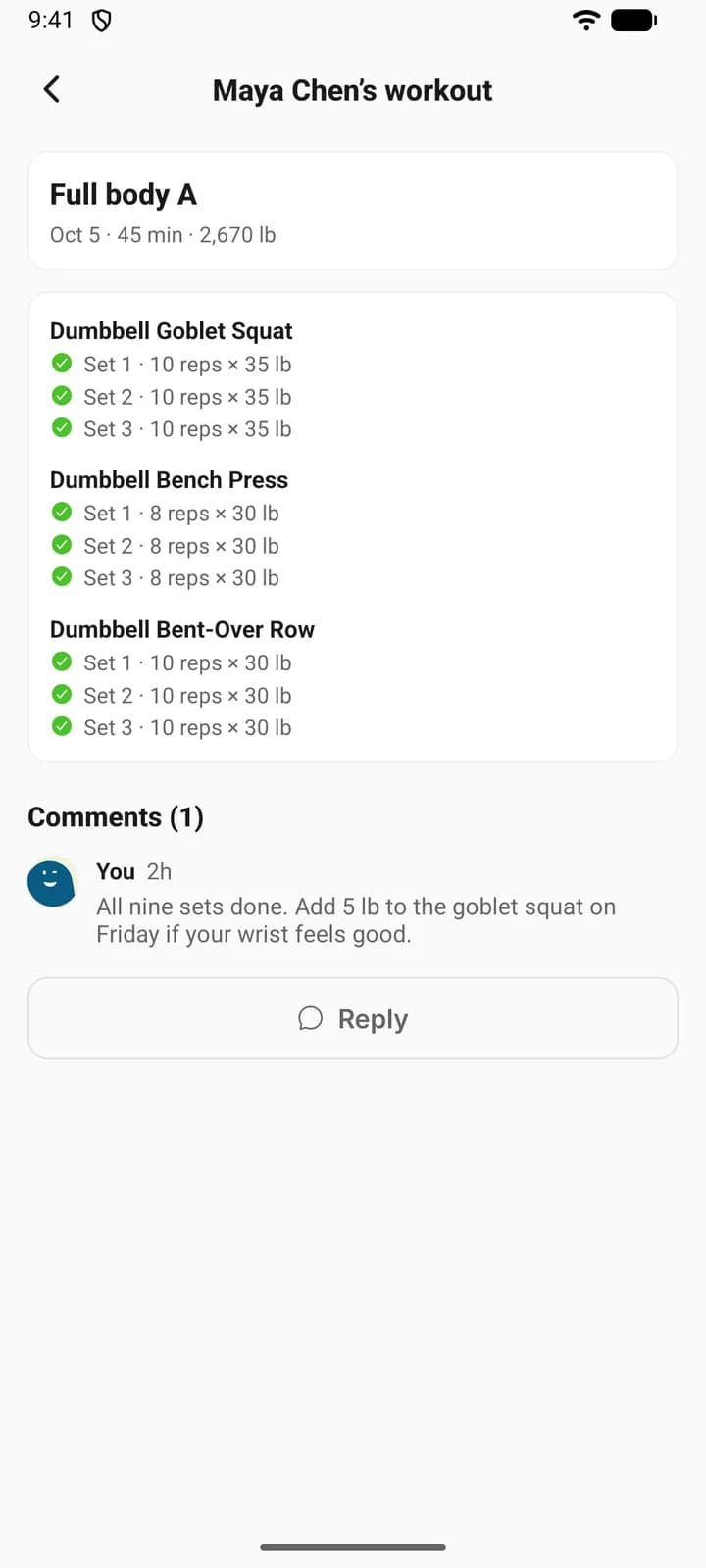
There are two ways to talk to one client. A message is a private conversation between the two of you. A comment is a reply left on one finished workout, next to the sets it is about.
Message about the plan and the week. Comment when the point is that session.
Where to find it
| On | Go to |
|---|---|
| Web | Coaching, then the message icon on a client’s row, or Message on their page |
| Phone | You, then Coaching, open a client, then Message in the header |
Message a client
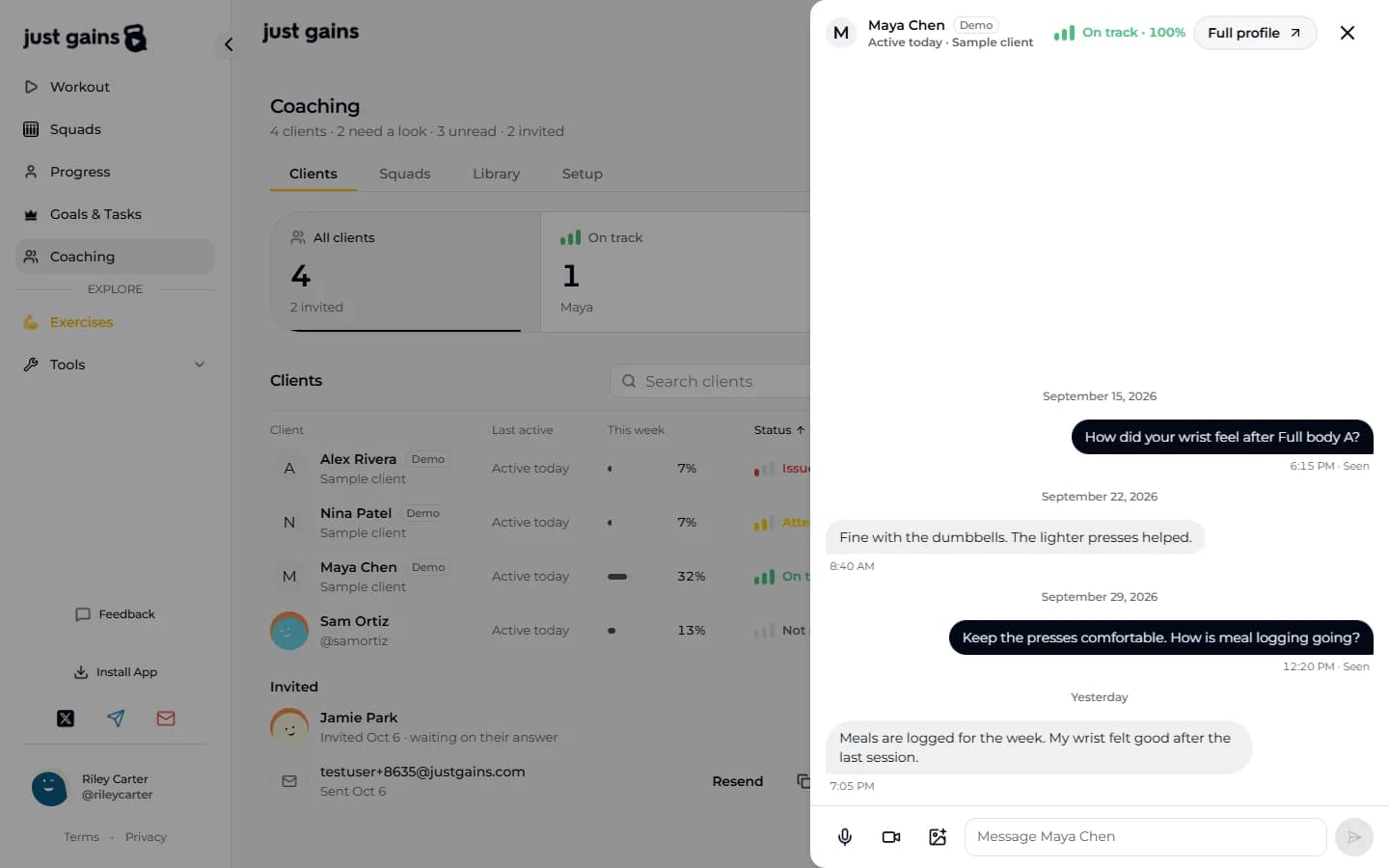
On the web the conversation opens in a drawer, so the roster or the client’s page stays behind it. On the phone it is an ordinary thread in your inbox: Message on a client’s page opens it, and it sits with your other messages.
The client finds the same conversation from Message on My coach, or from their coach card: on Today on the phone, and at the top of Workout on the web when no workout is open. Either of you can write first. Messaging starts once they have accepted, so an invited client has no thread yet.
Both of you can send text and photos. Voice messages and videos are yours to send, on web and phone, for as long as they are your active client. A voice message can run up to 5 minutes. On the phone, a video longer than 8 seconds opens Trim video, where you choose the 8 seconds to send. On the web a video is sent uncut, and a file that is too large fails to send, so keep clips short.
To reach several clients at once, use a squad.
See who is waiting on you
| Who | Where unread messages show |
|---|---|
| You, on the web | A count on the message icon in each roster row, and a total in the line under Coaching, such as “4 clients · 2 need a look · 4 unread · 2 invited”. |
| You, on the phone | “2 new messages” under the client’s name in the roster, and the count on your inbox. |
| Your client | Message · 2 new on My coach. On the phone, a dot on the coach card on Today. On the web, a dot on the Message button itself, and on My coach in the bottom bar. |
On the web, your last message reads “Seen” once they have opened it.
What the badges mean
| Badge on a workout | Meaning |
|---|---|
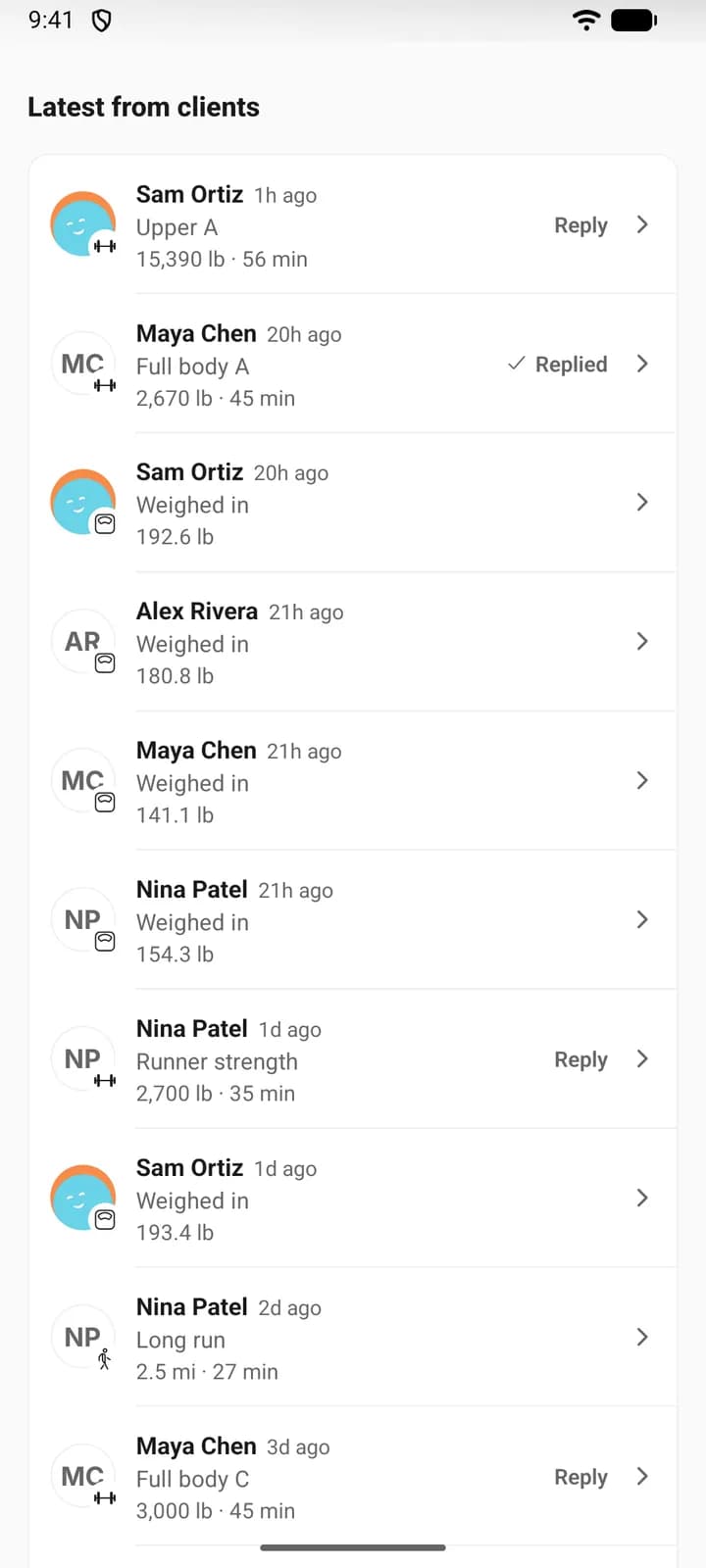
| Reply | Nobody has commented yet. It is waiting on you. |
| 2 comments | Someone else has commented and you have not. |
| Replied | You have commented. It stays Replied when more comments arrive. |
FAQ
Keep learning
Run a squad for your clients
A coach squad is a private group chat for some or all of your clients. Create one, decide who can post, and let finished workouts post themselves.
Read your roster: On track, Attention and Issues
How to read the Clients tab, and exactly how On track, Attention, Issues and Not scored yet are worked out from goal pace.
Read a client’s breakdown and keep private notes
See what a client shared, correct it for them, read their signup answers, and keep coaching notes and session notes only you can see.
Comment on a finished workout
The client gets a notification, sees your comment on their own workout, and can answer there.
You can read and comment on a client’s workouts even when they keep them off their public feed. That access comes with coaching and ends with it. In the coaching panel only workouts take comments: activities and weigh-ins in the feed are there to read.