Their whole app.Your coaching.

Your clients keep the app they already train, eat and run in, and you get a panel on top of it.

Read the guides
  • Web and phone.
  • Nothing is shared until they accept.
  • End it any time: they keep every plan.

Maya Chen

Maya’s app, on her own

TrainPick a workout
FuelSet a target
GoalsAdd a goal
CardioStart a run
Assign the programSet the macrosCount the habitsPlan the runsSee who needs youPreview their app

The whole week in one app.

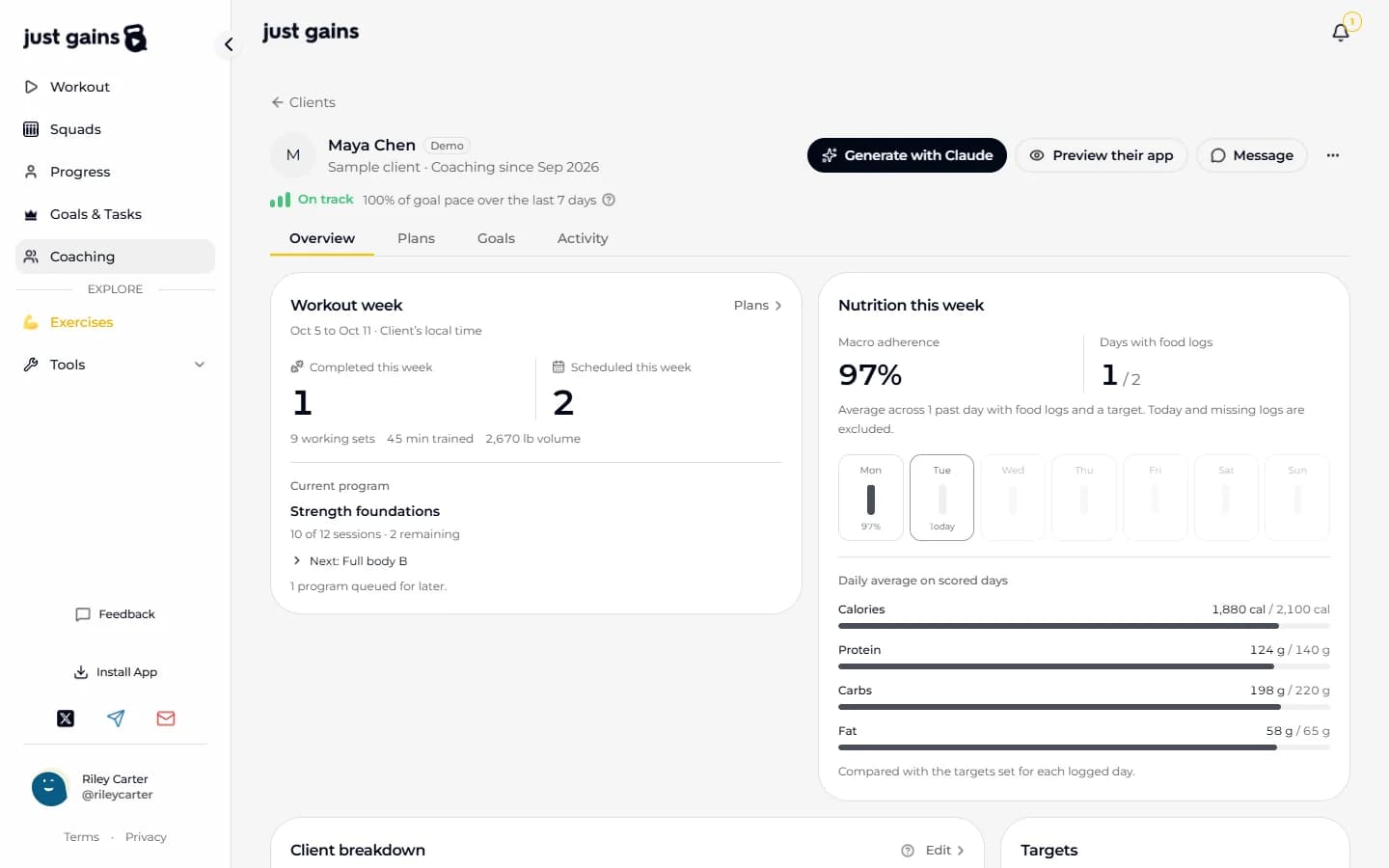
Training, food, goals and cardio sit in the app your client already opens. You set each of them from their page.

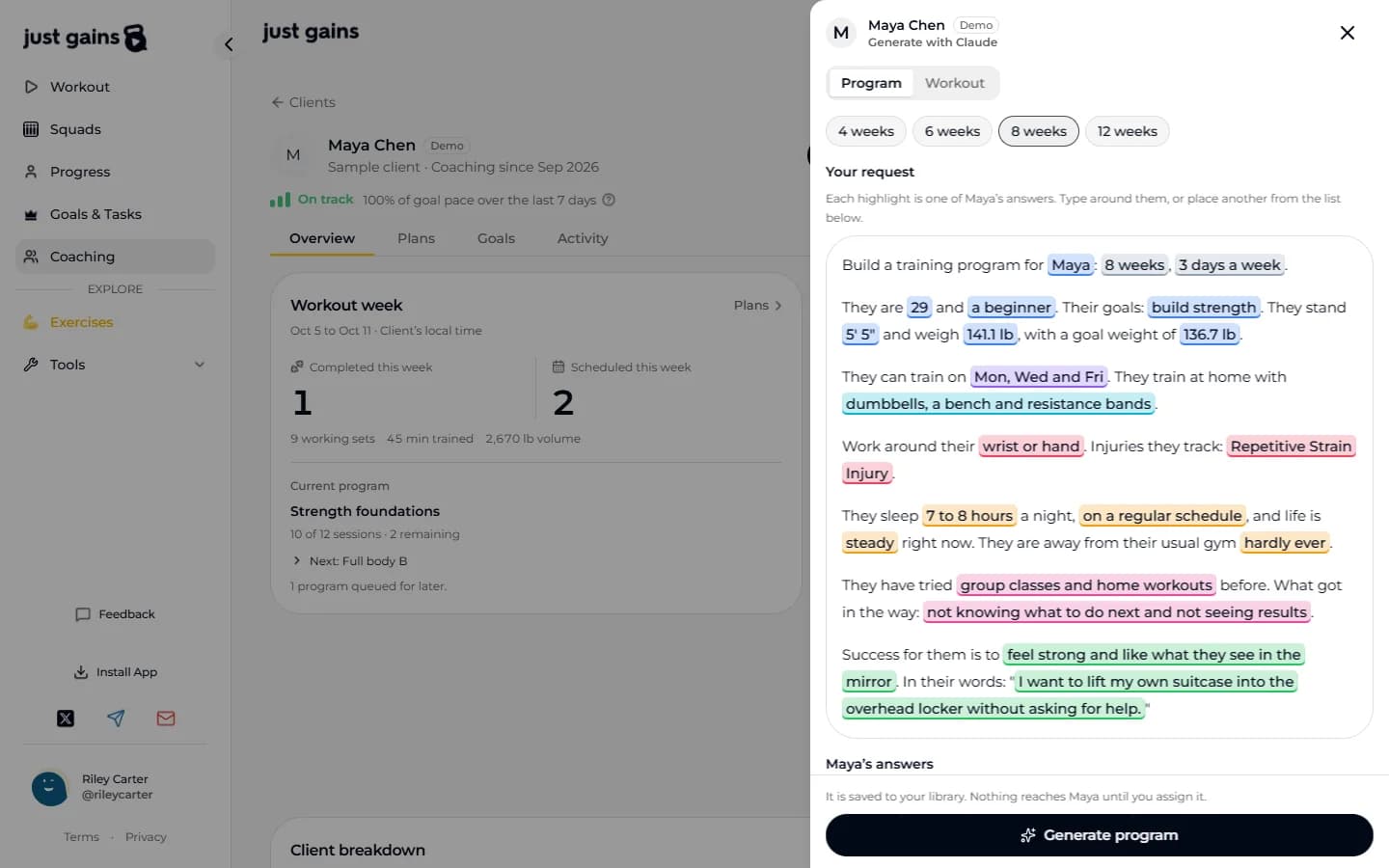
Assign the program. Edit their copy.

Each client gets a copy of their own, so a change to Maya’s week 5 touches nobody else’s.

Train

Maya’s copy

Strength blockWeek 5 of 8
  • Back squat3 × 5 · 225 lb
  • Bench pressUp 5 lb3 × 5 · 185 lb
  • Barbell row3 × 8 · 135 lb

Your template stays as it was.
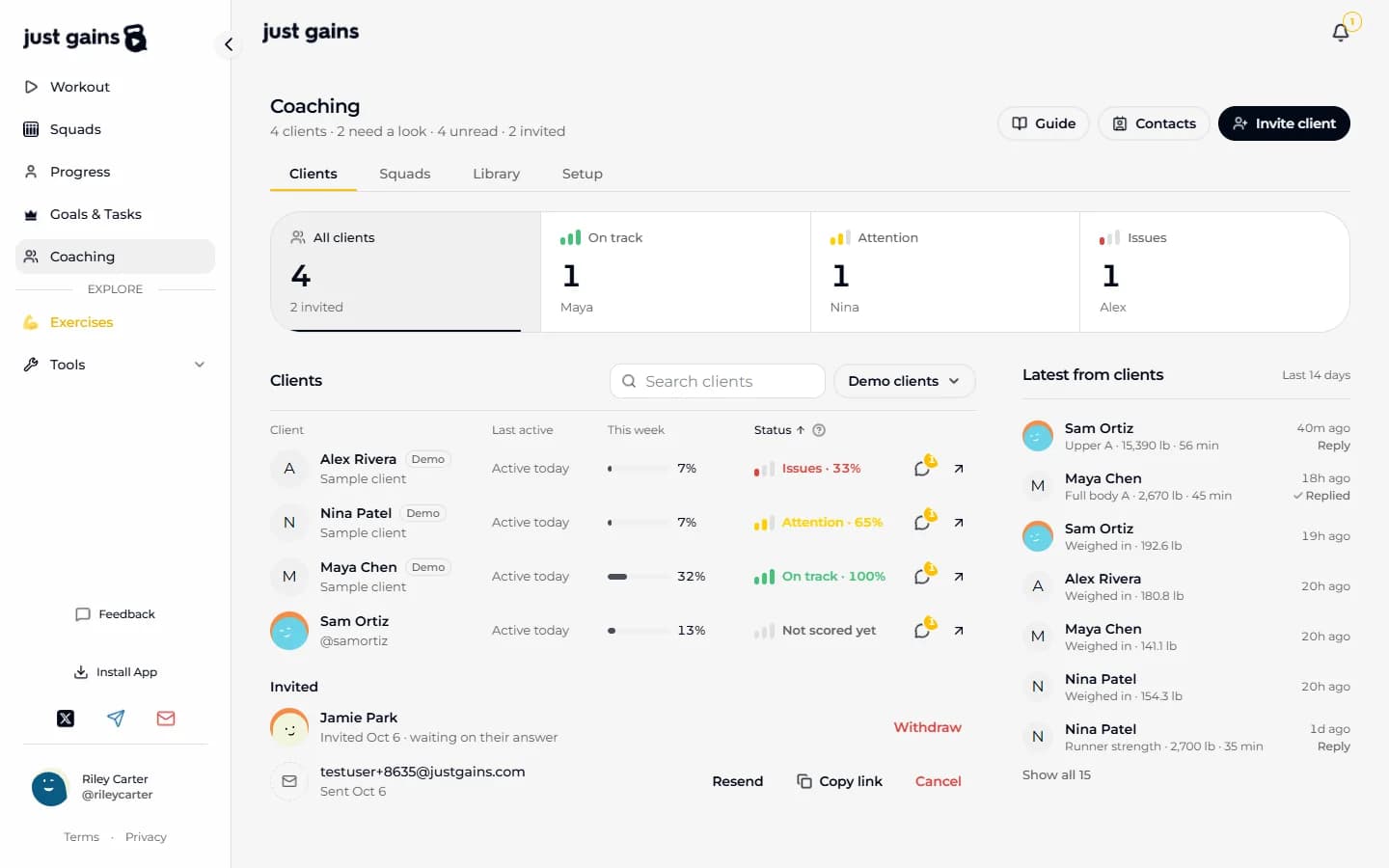
See who needs you.

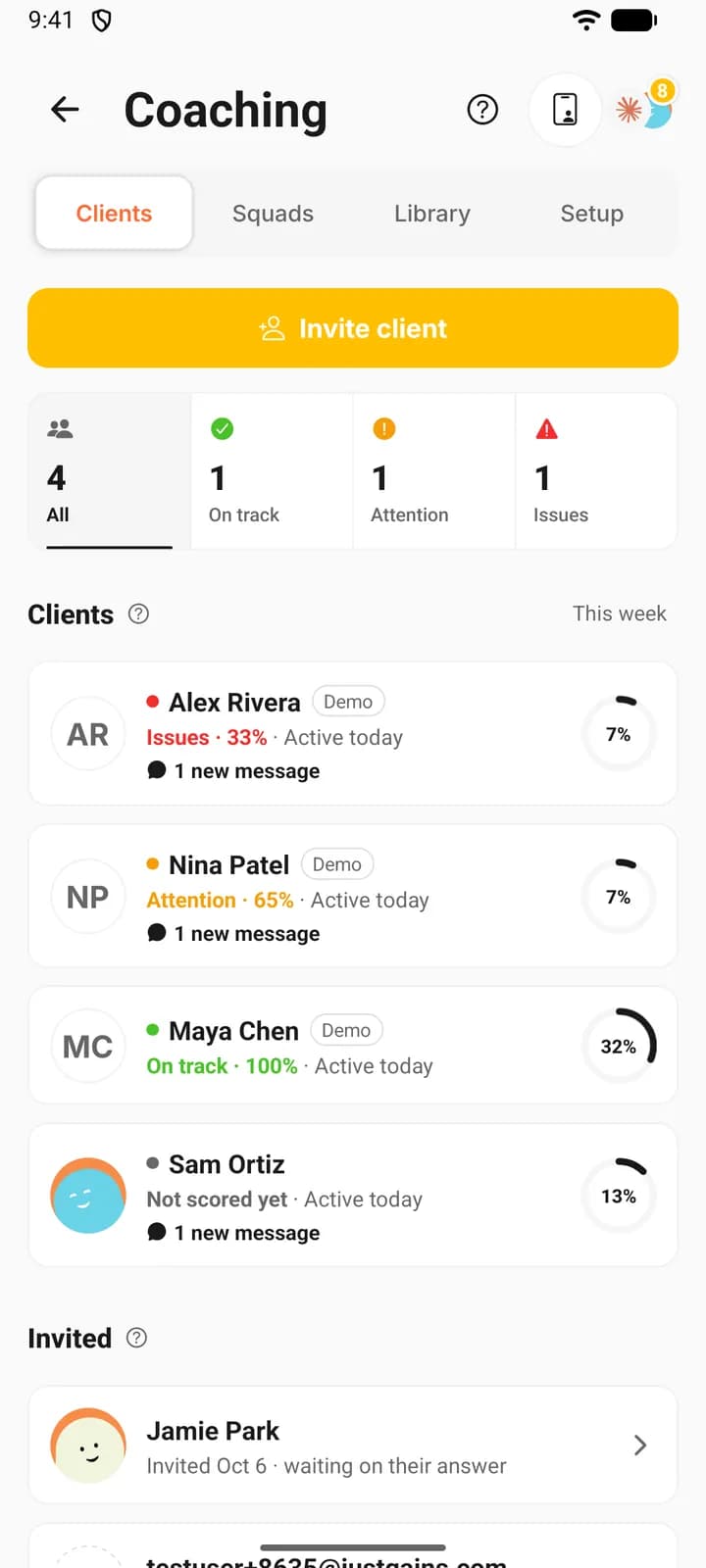
Your roster sorts itself, Issues first. Each client is scored on goal pace over the last seven finished days, so nobody looks behind on a Monday morning.

  • On track
  • Attention
  • Issues

Latest from clients lists each session as it is logged. Open one to read it set by set and reply.

The Clients tab of the JustGains coach panel on the web: a band counting clients On track, Attention and Issues, the roster with Issues first, and the latest sessions from clients.
The same roster in the JustGains app on a phone, each client with their status.
The same roster on the web and on the phone.

Three things to try on day one.

Preview their app.

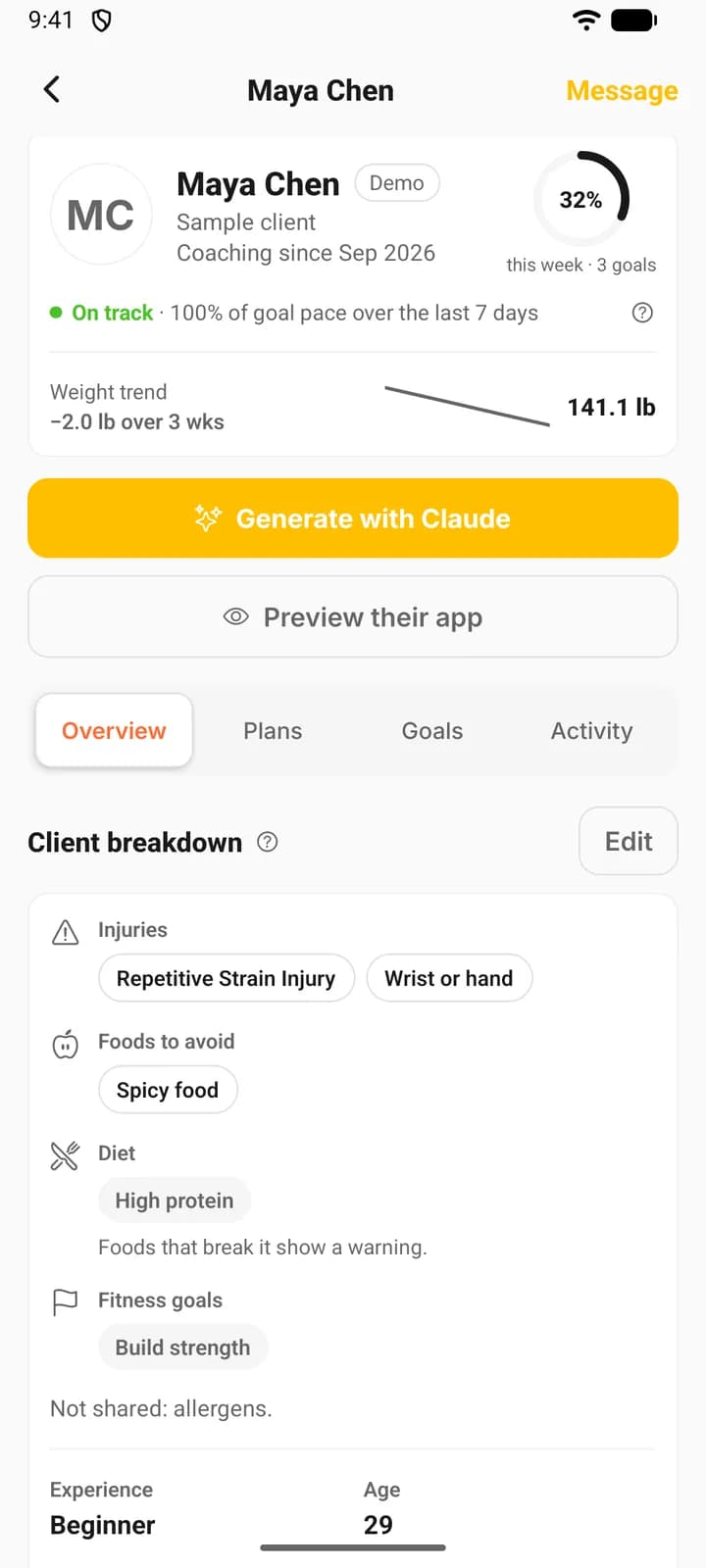
Open a client’s app the way they see it, read-only, on web or phone.

Viewing Maya · read-only

Exit preview

The rest of the kit.

  • Invitations by email, link, code or username
  • Signup questions and reusable forms
  • Private notes only you can read
  • Goal weight and nutrition targets
  • Meal plans, your own or ready-made
  • Progressions and time off
  • Messages with voice and video
  • Squads: private group chats
  • A welcome video and client themes
  • Contacts import from a CSV

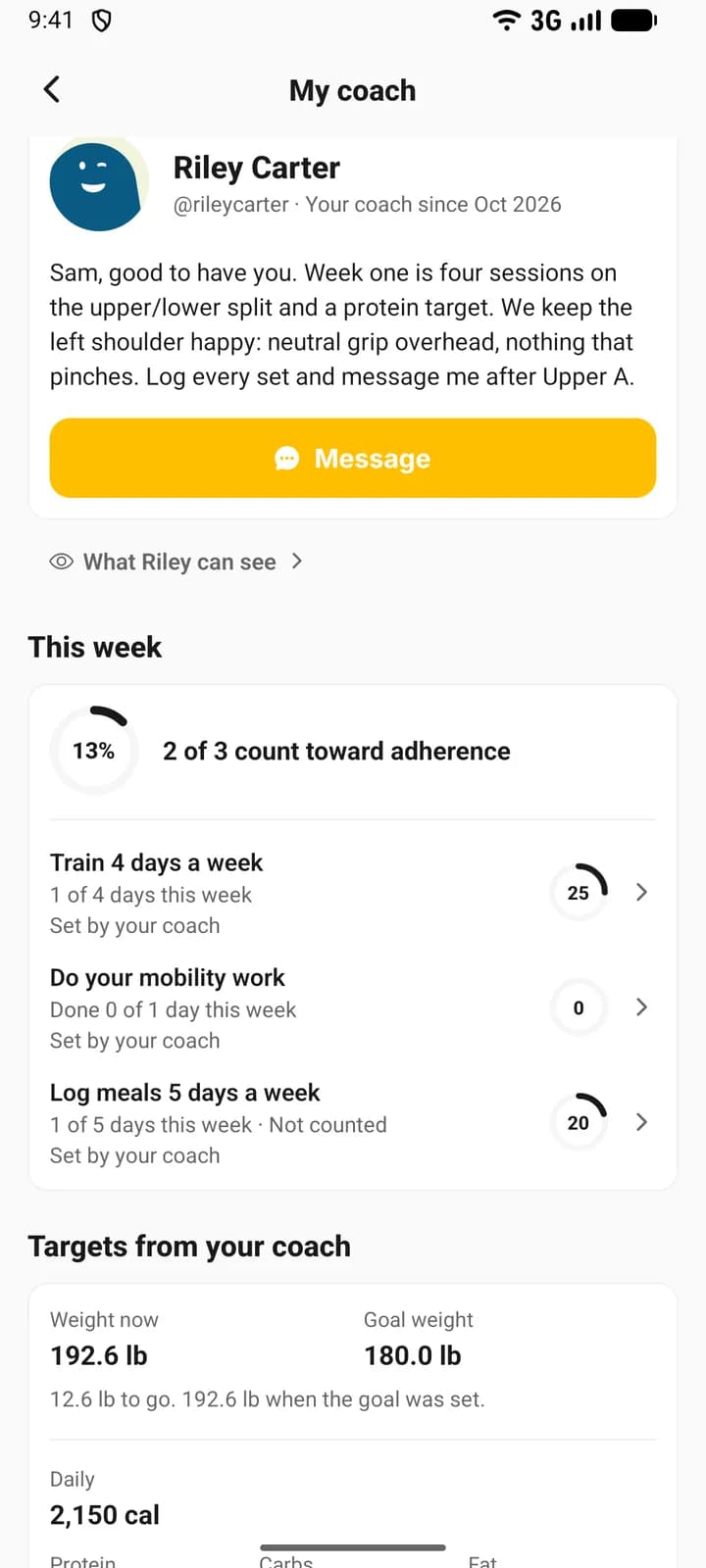
Being coached? It is still your app.

Your coach’s plan shows up inside the JustGains you already use, and every plan they assign is your own copy to keep.

Accepting shares

Training · Nutrition · Goals · Body · Injuries · About you

Stays private: your squads and followers, messages with anyone else, your recipe box, goals you joined that someone else started, and your tasks.

Nothing is shared until you accept. End coaching whenever you like: your coach loses access and your history stays yours.

What your coach can see

How it compares.

12 rows, including the 3 where the answer for JustGains is No.

  • Yes
  • Partial
  • No
Swipe →
What it doesJustGainsABC TrainerizeEverfitTrueCoachHevy CoachMy PT Hub
Clients use a consumer appYesNoNoNoYesNo
Food logging and habitsYesYesYesPartialNoYes
GPS runs and run plansYesPartialPartialNot confirmedNot confirmedPartial
See a client’s app as they doYesPartialPartialPartialNot confirmedNot confirmed
AI programs and workoutsYesPartialPartialNoNoPartial
Build programs on the phoneYesNoNot confirmedNot confirmedNot confirmedYes
Forms and check-insYesYesYesPartialNoYes
Private notesYesYesYesPartialYesPartial
Group chatYesYesYesYesNoYes
Payments and bookingsNoYesYesPartialNoYes
Staff accountsNoYesYesYesYesYes
White-label appNoYesYesPartialNoYes

Partial: with a limit or a workaround. Blank: we could not confirm it either way. Prices and paid add-ons are left out.

Based on each company’s own pages, October 2026.

Coach questions, straight answers.

Founding coaches wanted.

We are building coaching with a small group of coaches who run real rosters. Leave your email and we will be in touch.

Invite-onlyFree during early access