Chicken bowl · 540 kcal
AI photo scan
Point the camera at the plate. It comes back with the foods, the portions, and the macros, fix anything with a tap.
JustGains Nutrition · Free in the app
You don’t quit tracking because you stopped caring: you quit because logging a sandwich took forty taps. Snap a photo, scan a barcode, or re-log the usual in one tap, and watch the macros you train for actually add up.
Photo → macrosA plan that re-balancesBeside your training
Today
296 kcalCal
296/2511
Protein
25/177g
Carbs
17/291g
Fat
13/71g
Breakfast · 296 kcal
Scrambled Eggs
P23 · C3 · F13
226
Sourdough Toast
P2 · C14 · F0
68
Coffee
P0 · C0 · F0
2
Why food logs die
Week one is easy. Week three is a sandwich you can’t face logging. The fix isn’t more willpower, it’s taking the friction out of the log and putting the numbers where you already train.
01
Search, scroll, pick a serving, convert the units, repeat times three. Most food logs die in week two because dinner shouldn’t feel like data entry. Here, a photo or a barcode does the typing.
02
Fifteen versions of “chicken breast,” none of them yours. JustGains ranks results by what you actually eat, remembers your usual portion, and keeps your regulars one tap away.
03
Food in one app, training in another, and never the two shall meet. Nutrition lives beside your workouts, same account, same profile, macro targets that exist for a reason.
Every way in
A home-cooked plate, a wrapper with a barcode, the same breakfast as always: each gets its own shortcut into the log.
Point the camera at the plate. It comes back with the foods, the portions, and the macros, fix anything with a tap.
Any label in the pantry, logged as fast as you can point. Serving size comes with it.
Our catalog plus Open Food Facts, searched in parallel, and ranked by what you actually eat.
Your regulars wait at the top with your usual portion: logged 14× reads like a badge of honor. Works offline.
Just the macros, when the meal defies description. Wedding buffets happen.
Grandma’s recipe, saved once, logged forever, with the numbers you gave it.
Stage the whole meal in the tray, then log it once. Breakfast is three taps, not three forms.
The real thing
Real screens from the Nutrition workspace. Plan turns your macro targets into an actual menu, Log is the day as you ate it, and Add is where a meal takes seconds instead of a search session. A fasting countdown rides the top of every one.
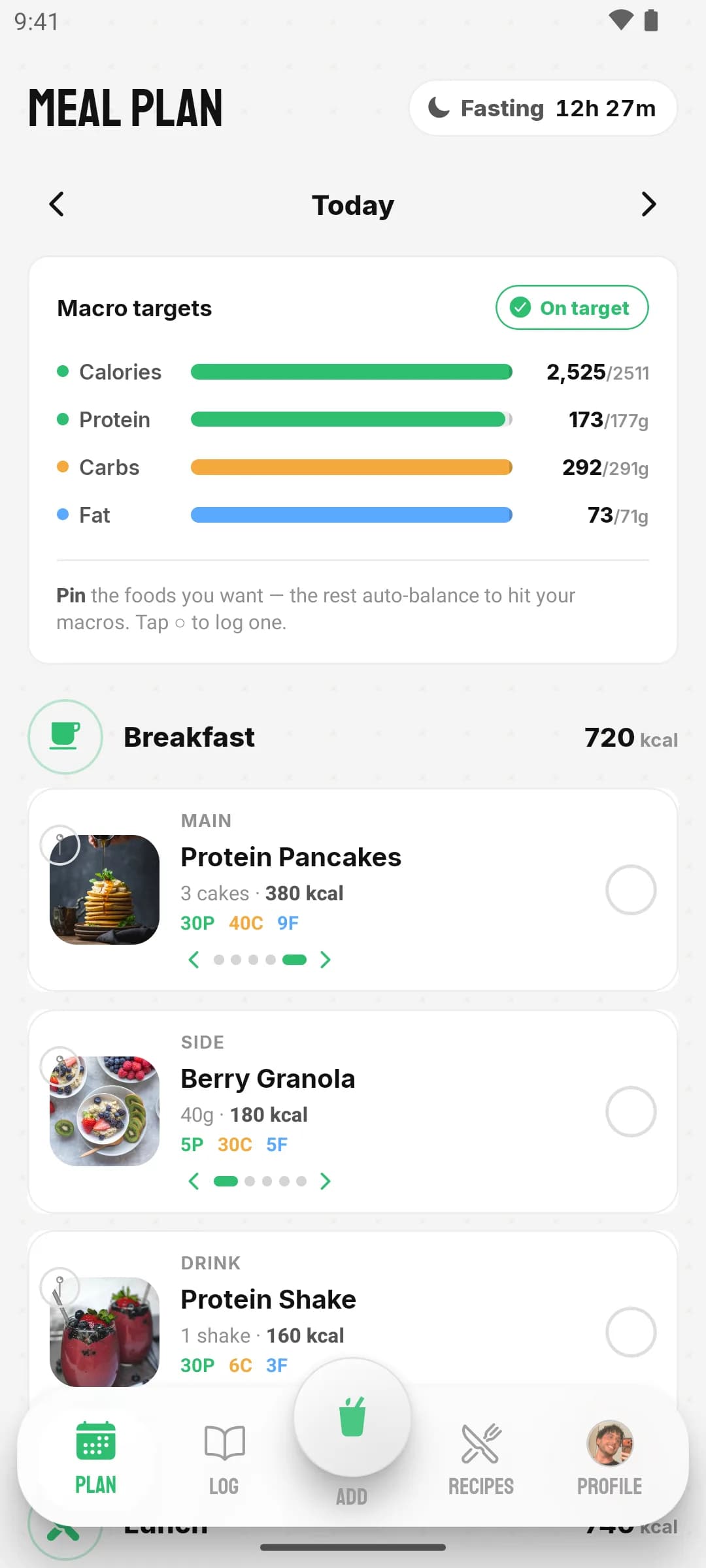
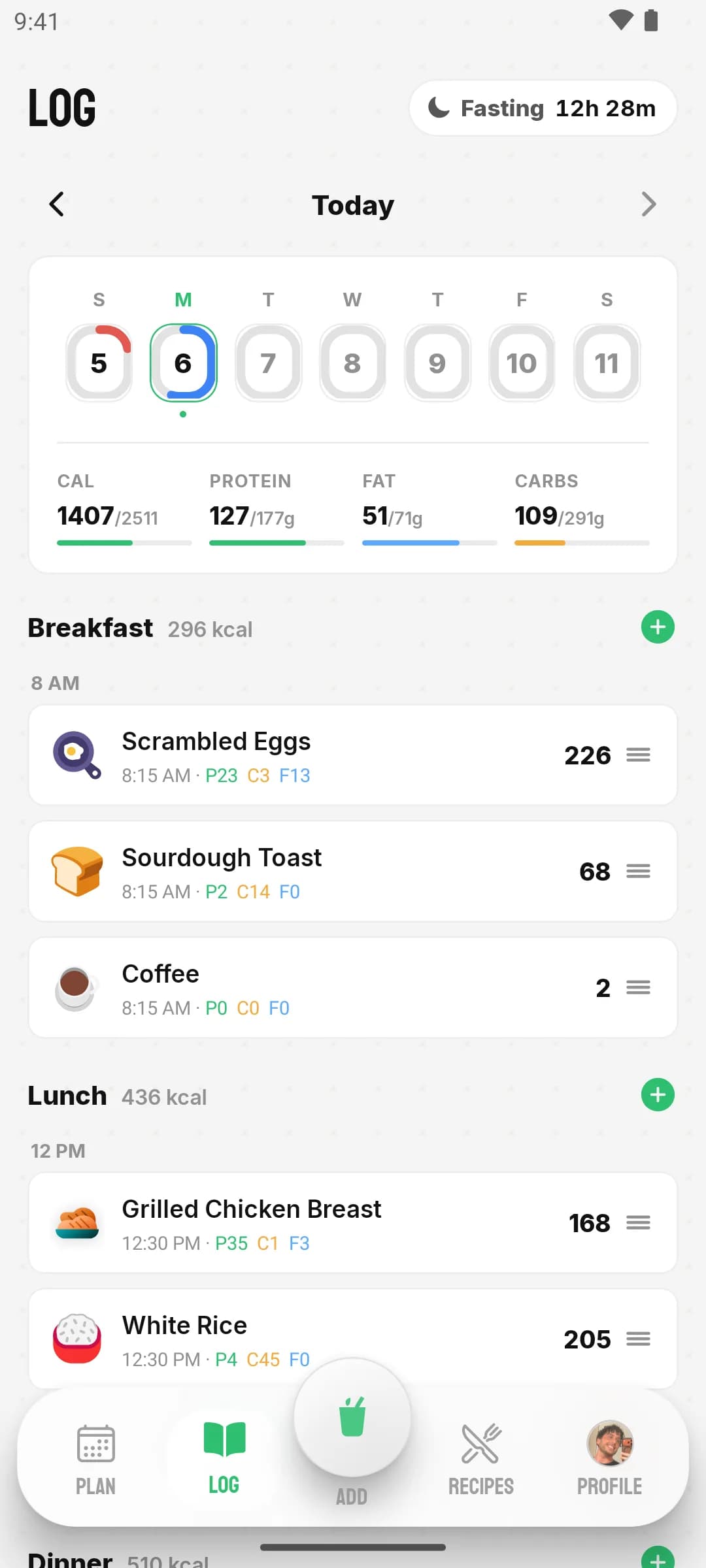
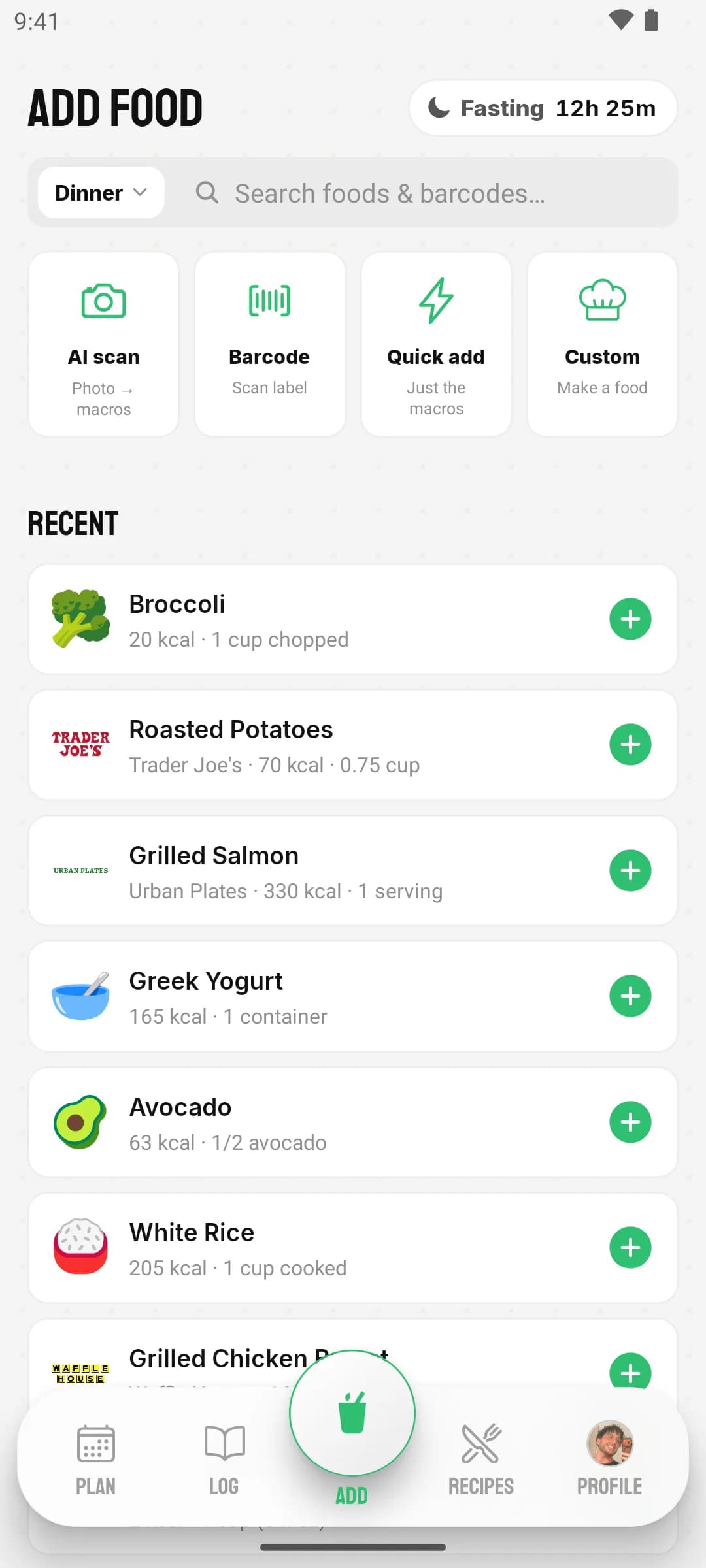
Macros with a purpose. Your targets live beside your training, your goals, and your miles: one app, one account, one story your data tells.
The plan that gives back
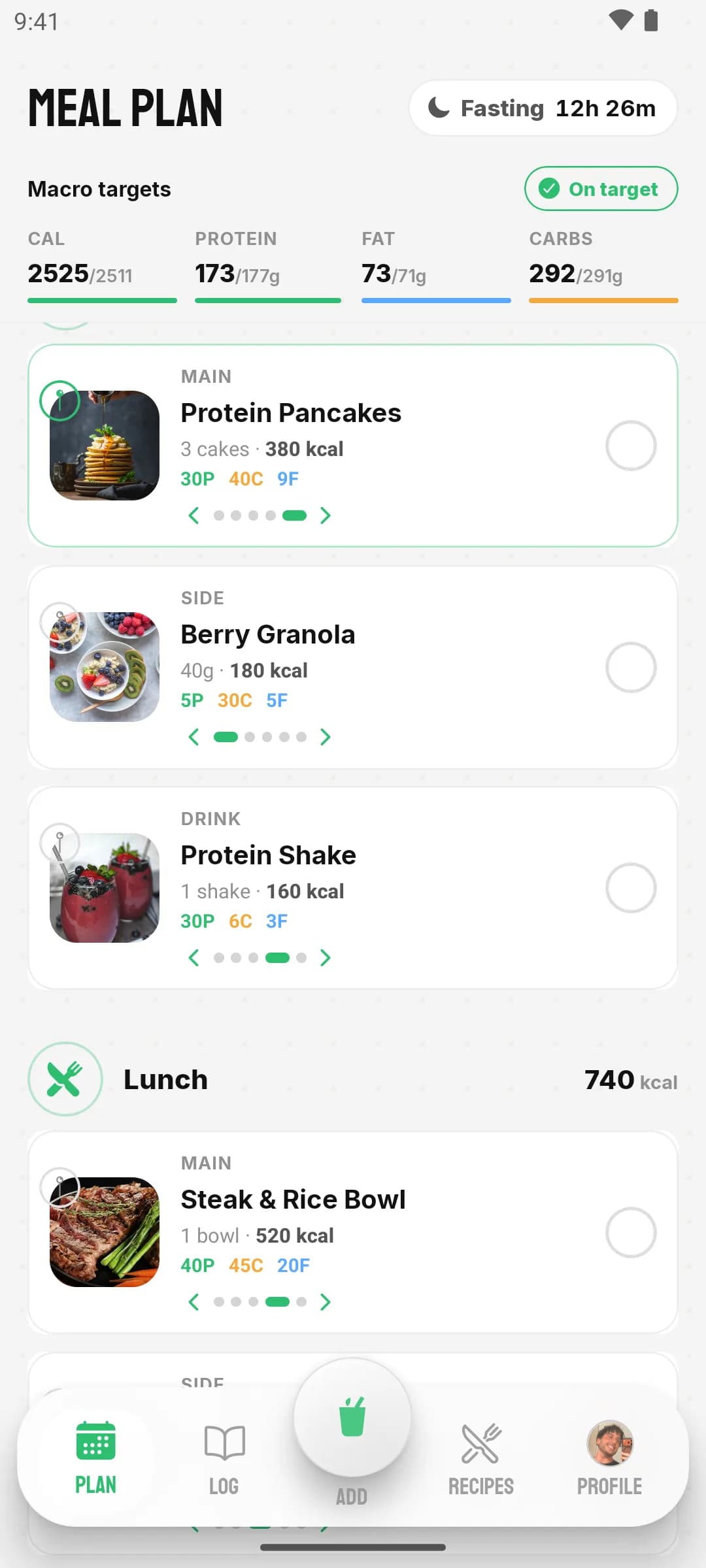
Set macro targets and Plan fills your day with real food that adds up. Swipe any slot to swap it, that pins your pick, and every other slot quietly re-solves so the totals still land. Eat it, tap the circle, and it’s in your log. Less “meal prep spreadsheet,” more “solved menu.”
Recipes with receipts
Browse a catalog of recipes with honest per-serving macros, filter by vegan, keto, high-protein and more, or generate your own from a description and keep it in your cookbook. Logging a serving is one tap, numbers included.
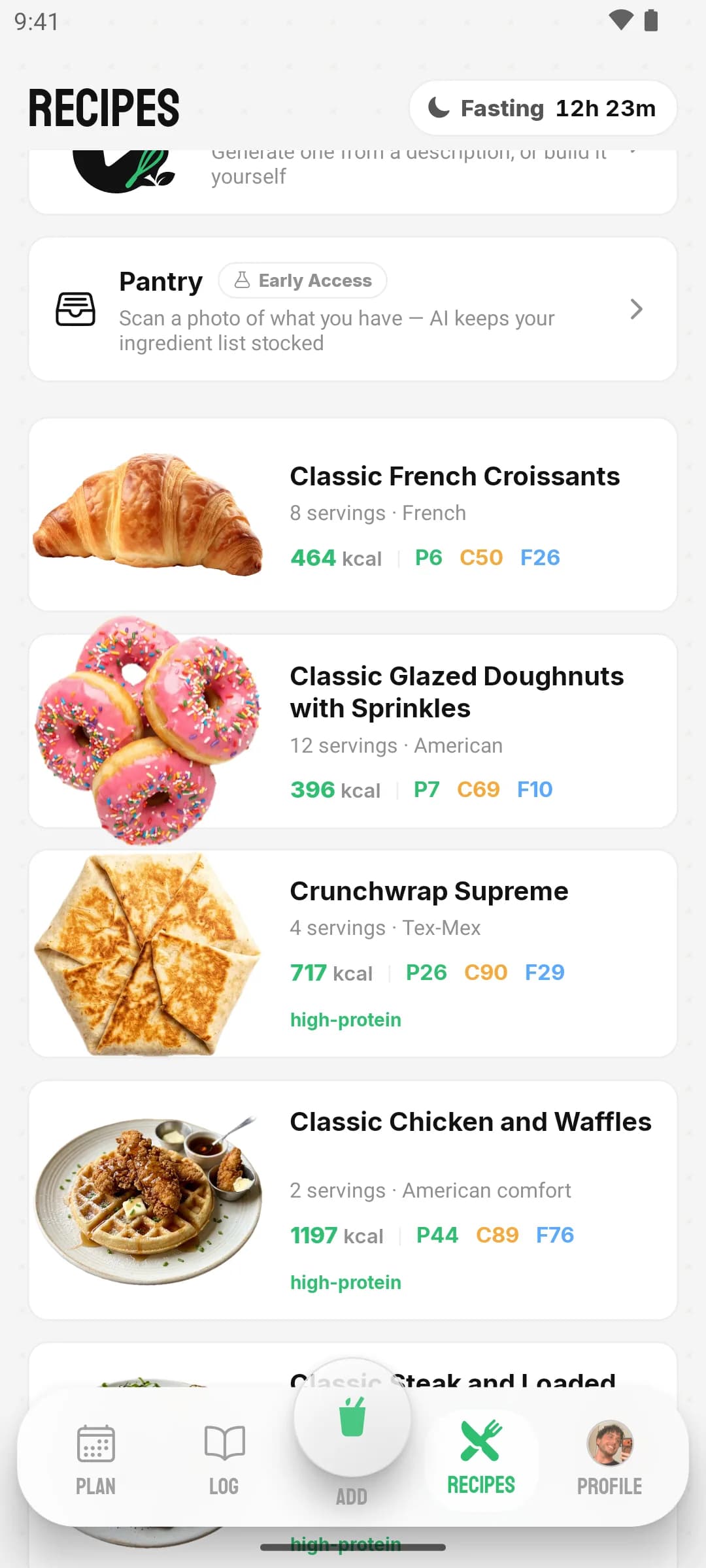
Fasting? Set your eating window and the countdown rides the top of every screen: the app even asks “you sure?” at 11 PM.
FAQs
What people ask before they trust an app with their dinner.