Join your coach on JustGains
Accept your coach’s invitation, see what it shares before you agree, and find your plan, goals, targets and forms afterwards.
Your coach uses JustGains to send your plan, set goals and see how your week went. You use the ordinary JustGains app on your phone, or justgains.com in a browser.
It starts with an invitation, which lists exactly what accepting shares. Nothing about you is shared until you accept.
Where to find it
| On | Go to |
|---|---|
| Web | My coach in the sidebar or the bottom bar |
| Phone | Today, then your coach’s card |
How the invitation reaches you
| It arrives as | What to do |
|---|---|
| An email from your coach | Open the link. A phone opens the app, or a page with Open in the app. A computer shows a QR code to scan and Continue in the browser. If you are already signed in, the page shows what accepting shares above Accept and share. |
| Your coach’s link or QR code | The same page, the same steps. |
| A six-character code | For new accounts. In the app’s signup, the screen asking how long you have been training has Enter their code. Already have an account? Ask for the link instead. |
| An invitation already in the app | Your coach used your username, or the confirmed email on your account. Nothing to open. |
If you are new and sign up in the app, your coach may add up to ten questions (training days, injuries, sleep, stress). Each is optional, and your answers reach your coach only after you accept. The website’s signup skips them.
What you see before you accept
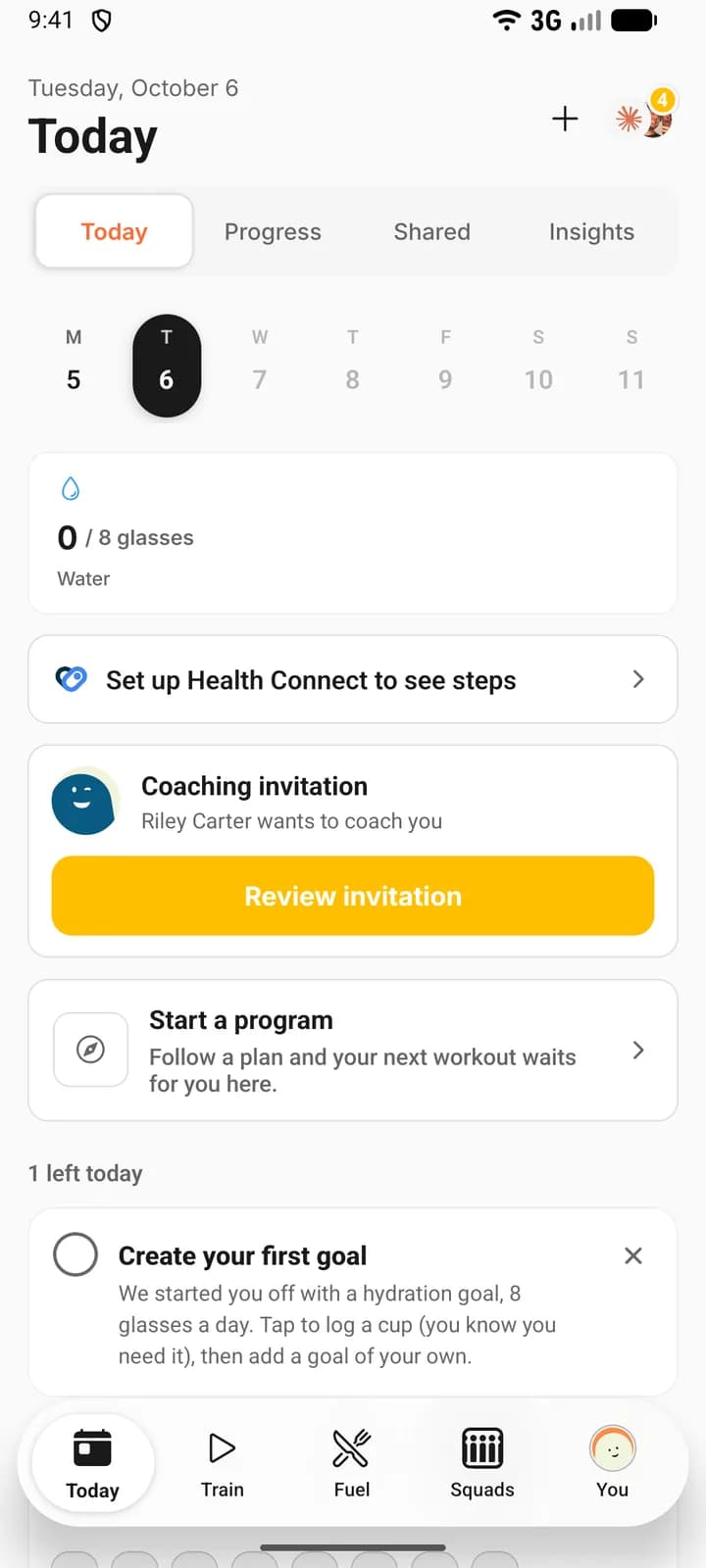
- Open the invitation: a card on Today titled Coaching invitation on the phone, a banner at the top of the app on the web. Press Review invitation.
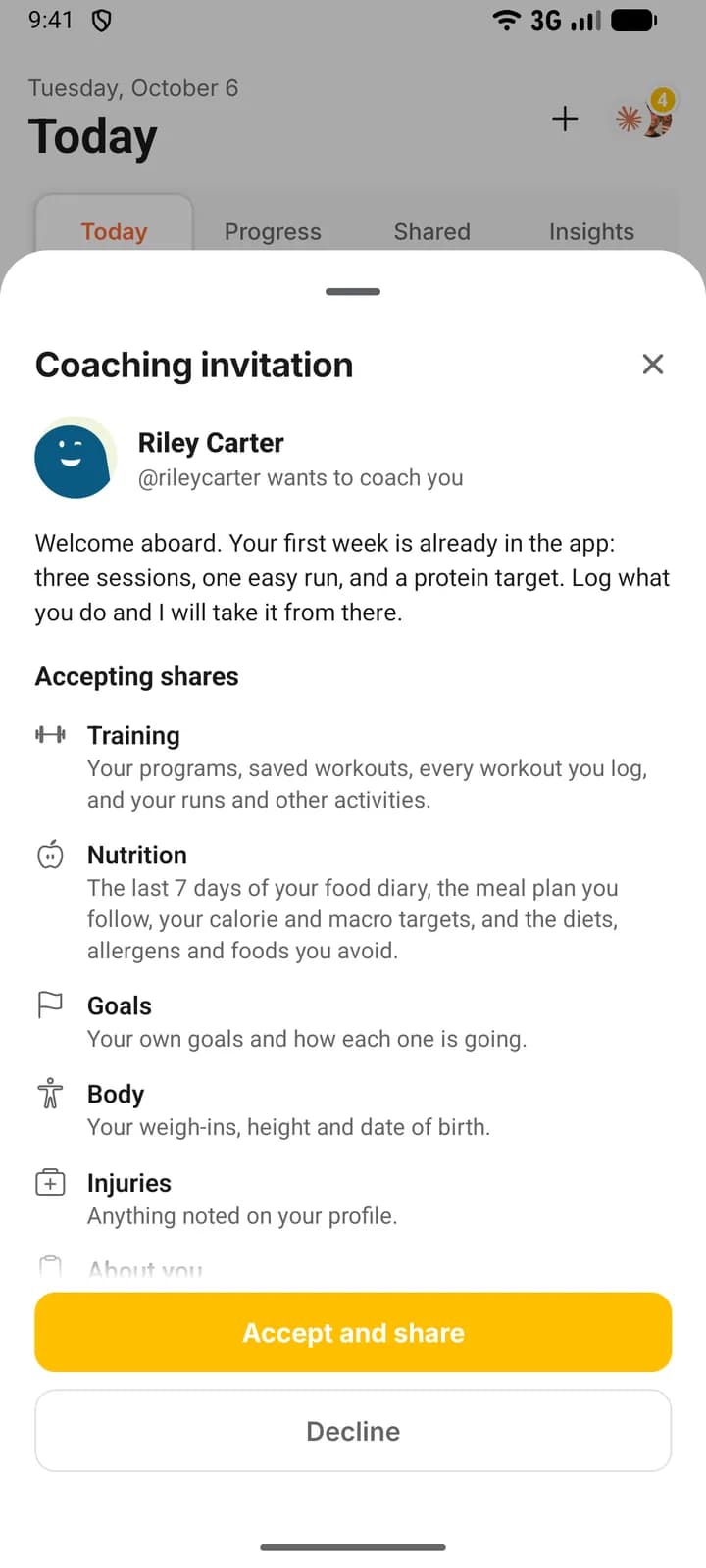
- Check who is asking: your coach’s name and photo, then their @username and “wants to coach you”, with their welcome message and video if they made them.
- Read the list under Accepting shares: training, nutrition, goals, body, injuries and about you, then what stays private.
- Press Accept and share, or Decline.
Accept, and you join your coach’s client list and they can see what the list named. Decline, and nothing is shared. Your coach’s link page on the web has no Decline: if you do not want to join, leave the page. What your coach can see explains each line, and the How it works link under the list opens the same guide.
Where everything lives
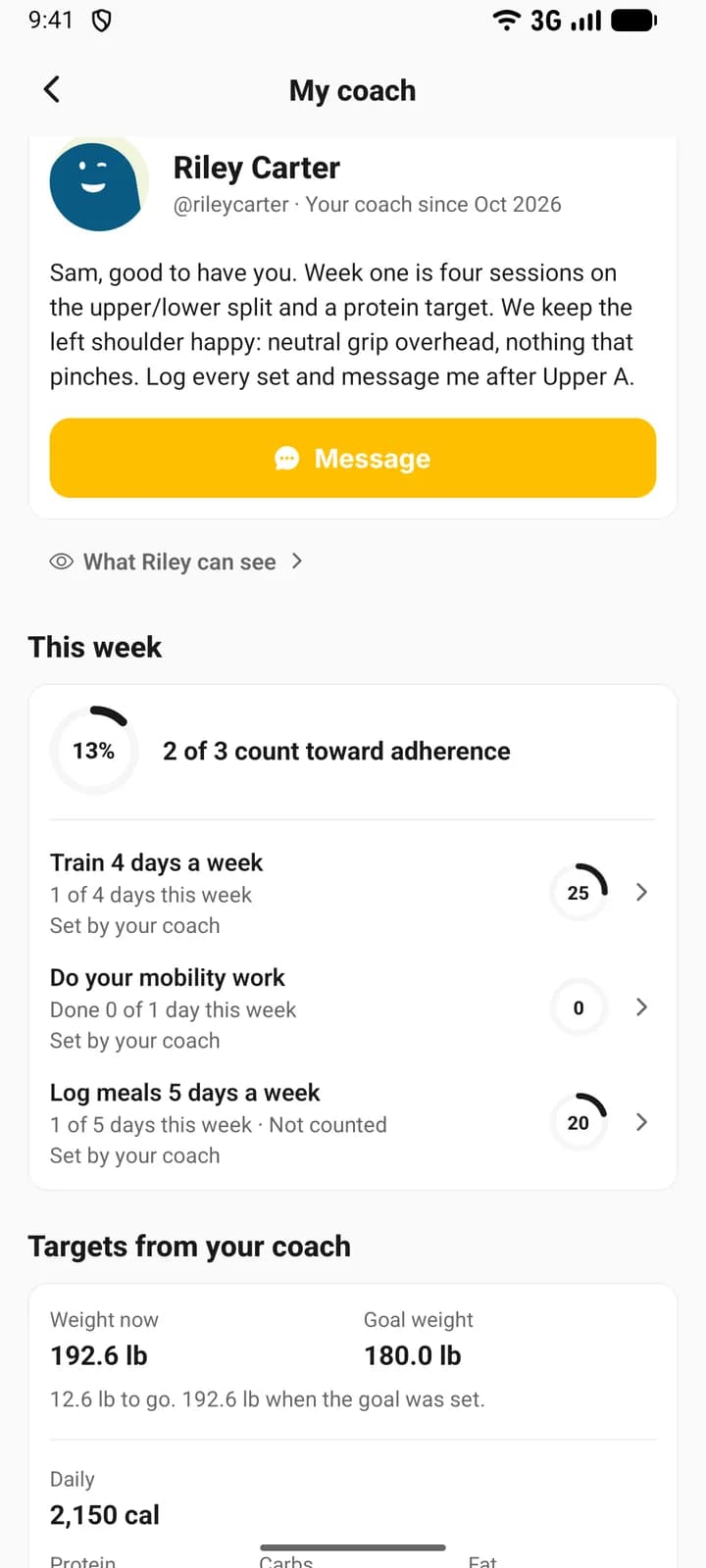
On the phone, your coach’s card near the top of Today opens My coach. Its line reads “13% adherence this week · 2 assigned plans”, and says nothing about adherence while the week stands at zero. On the web, My coach is in the sidebar and the bottom bar. Your coach’s card is at the top of Workout when no workout is open, and on the Dashboard. My coach has four sections.
| Section | What you find there |
|---|---|
| This week | The goals your coach set, and how far along each one is. |
| Targets from your coach | Your goal weight and your daily calories, protein, carbs and fat. |
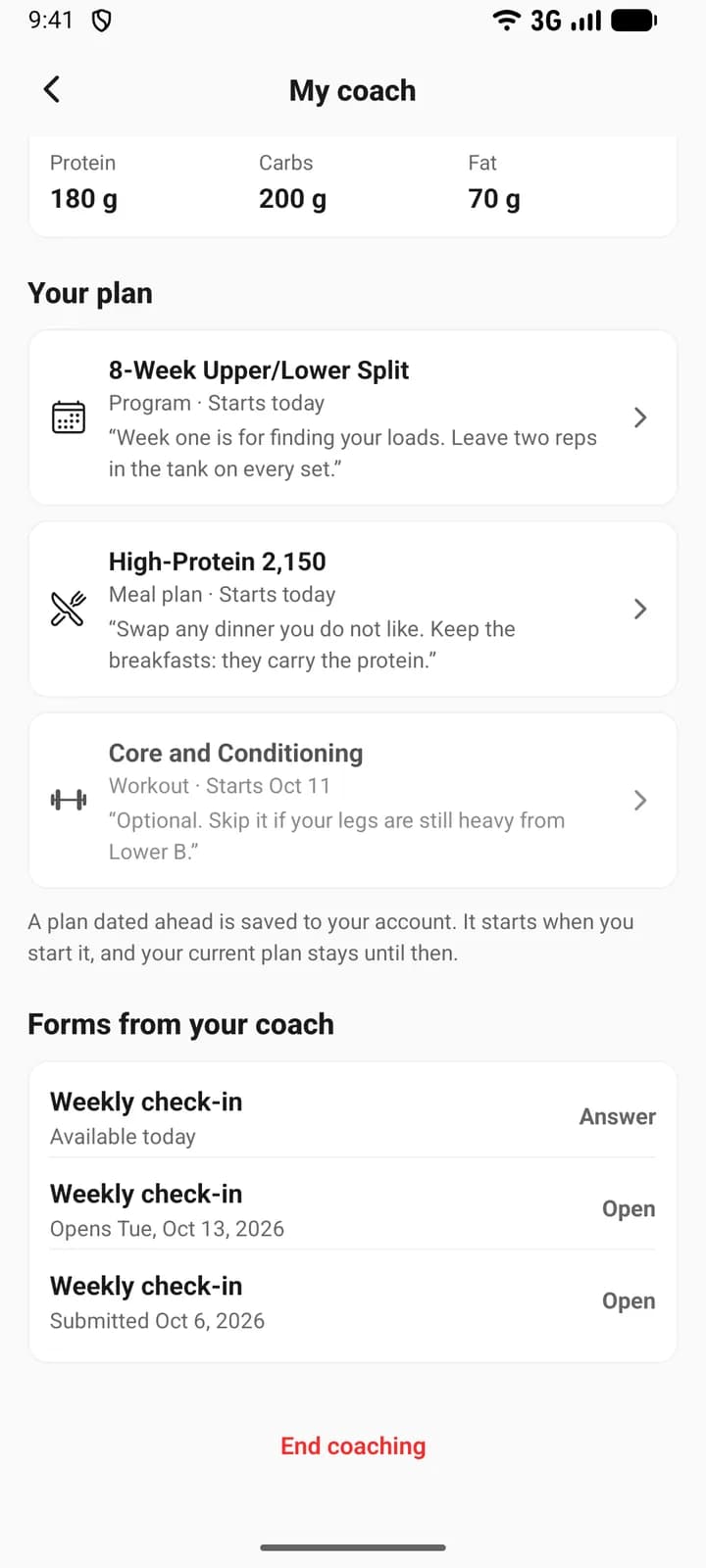
| Your plan | The programs, workouts, meal plans and run plans your coach assigned. |
| Forms from your coach | Check-ins to answer, and the ones you already sent. |
“Assigned” means your coach put a copy of the plan in your account. It is yours and opens like any plan you made, and a program, workout or meal plan reads “From your coach, Riley Carter” where an author would be named. One dated in the future is saved now and starts when you start it; your current plan stays until then. With notifications on, your phone tells you when your coach sends a plan, a goal, new targets or a form you can answer that day. A form dated ahead sends nothing, when it is assigned or when its day arrives.
Goals from your coach also sit among your own, and each reads Set by your coach on My coach and on the phone’s Today. Many count themselves from what you log; the rest you tick off. Adherence, the number your coach reads, is the percentage of this week’s counted goals done so far, so it starts again every Monday. A goal marked Not counted is left out of it.
While you are coached the app stops offering other programs to start, and on the phone you can log food and record activities whatever your subscription.
Talk to your coach
The message button on your coach’s card, and Message at the top of My coach, open your conversation. Your coach can also comment on a workout you logged.
A form is a check-in from your coach, and the first may open right after you accept. Press Answer, then Save draft to finish later or Submit once every required question has an answer. Your coach is told when you submit. To fix an answer afterwards, open the form and press Edit answers. Each form says where it stands: “Available today”, “Opens Tue, Oct 13, 2026”, “Waiting since Tue, Oct 6, 2026” or “Submitted Oct 6, 2026”. Nothing expires.
End coaching
- Open My coach and scroll to the bottom.
- Press End coaching.
- Confirm with End coaching, or press Keep coaching to stay.
Your coach loses access at once and you come off their client list. You keep every plan they gave you and everything you logged. Their goals end with coaching, and forms you had not sent are cancelled.
FAQ
Keep learning
What your coach can see on JustGains
What accepting a coach shares, what stays private, what your coach can change in your app, and how to stop sharing.
How coaching works on JustGains
A coach runs your training, food and goals inside the app you already use. What each side sees, what is shared, and where to start.