Set goals for a client and read their adherence
Add a goal JustGains counts for you or a habit your client logs, choose what counts toward adherence, and see how the week is scored.
A goal is one thing you ask a client to do daily or weekly, such as training three days or doing mobility work. JustGains counts most of them from what the client already logs; the client ticks off the rest. Counted goals are what your roster is scored on.
Where to find it
| On | Go to |
|---|---|
| Web | In Coaching, open a client’s Full profile, then Goals |
| Phone | You, Coaching, open a client, then Goals |
Add a goal
- In Goals, press Add goal.
- Under What counts, choose what it measures. A line under the picker says what the chosen one counts. The app counts nine of the ten. The tenth is A habit they log themselves.
- Choose Daily or Weekly under How often and set the Target. A daily goal can skip weekdays under Which days.
- Type a Name, or leave it blank and a goal the app counts names itself: “Train 3 days a week”.
- Set Starts, and Ends (optional) if it should stop. Leave Counts toward adherence on to score it, then press Add goal.
When a client has few goals, suggestions under the list open the form filled in.
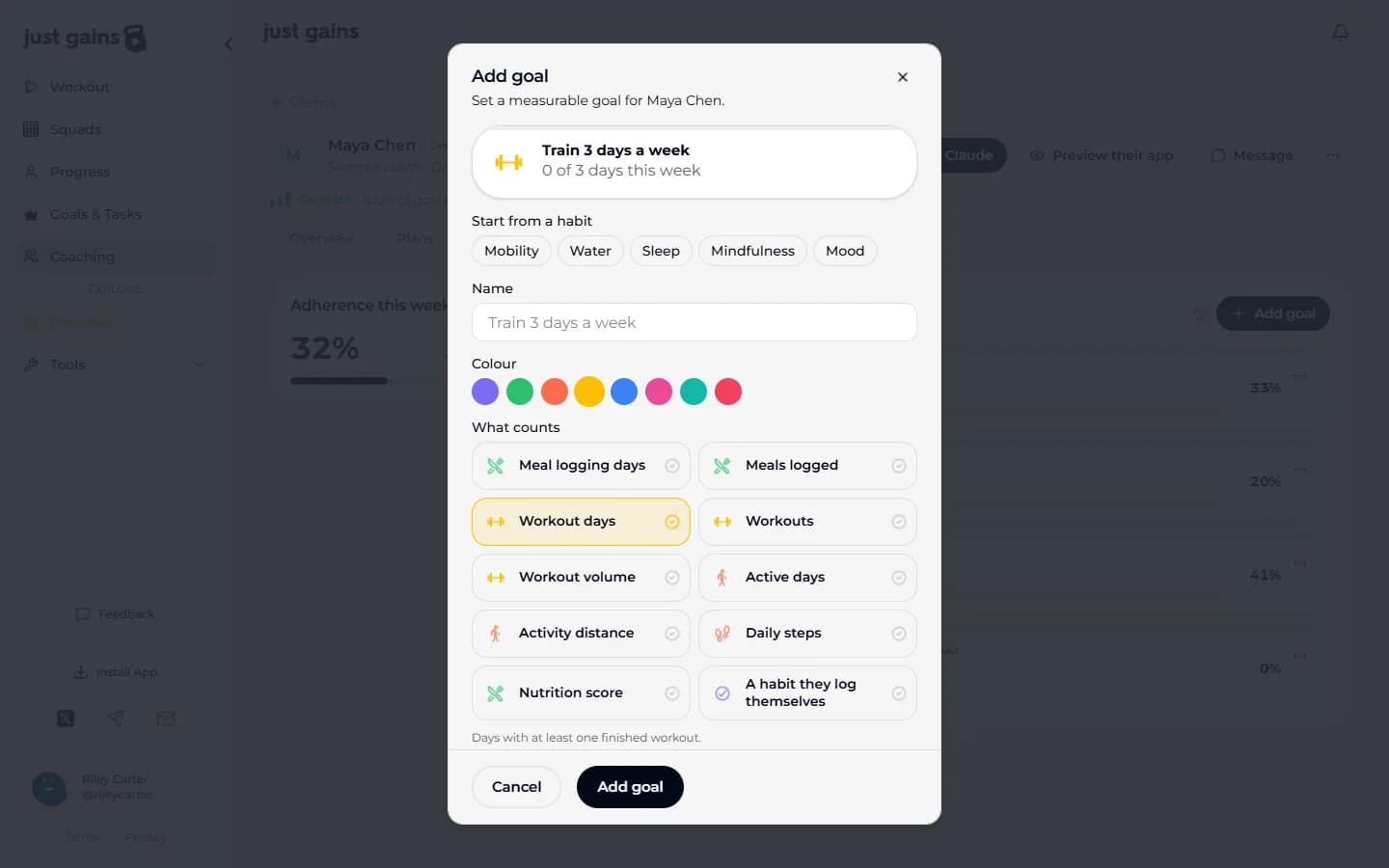
What the app counts
| What counts | What is counted |
|---|---|
| Workout days | Days with a finished workout. |
| Workouts | Every finished workout: two in a day count as two. |
| Workout volume | Weight times reps over completed sets. |
| Meal logging days | Days with anything in the food diary. |
| Meals logged | Meals with food in them. Three foods at breakfast is one meal. |
| Active days | Days with an activity, recorded or synced. |
| Activity distance | Distance from activities shared to their feed. An activity with Share to Feed off adds nothing. |
| Daily steps | Steps from their phone or watch. Daily only. |
| Nutrition score | How close the day’s food came to their targets, out of 100. Daily only. For a client with no nutrition targets the form says “Needs nutrition targets first. Set them under Overview.” |
Habits your client logs
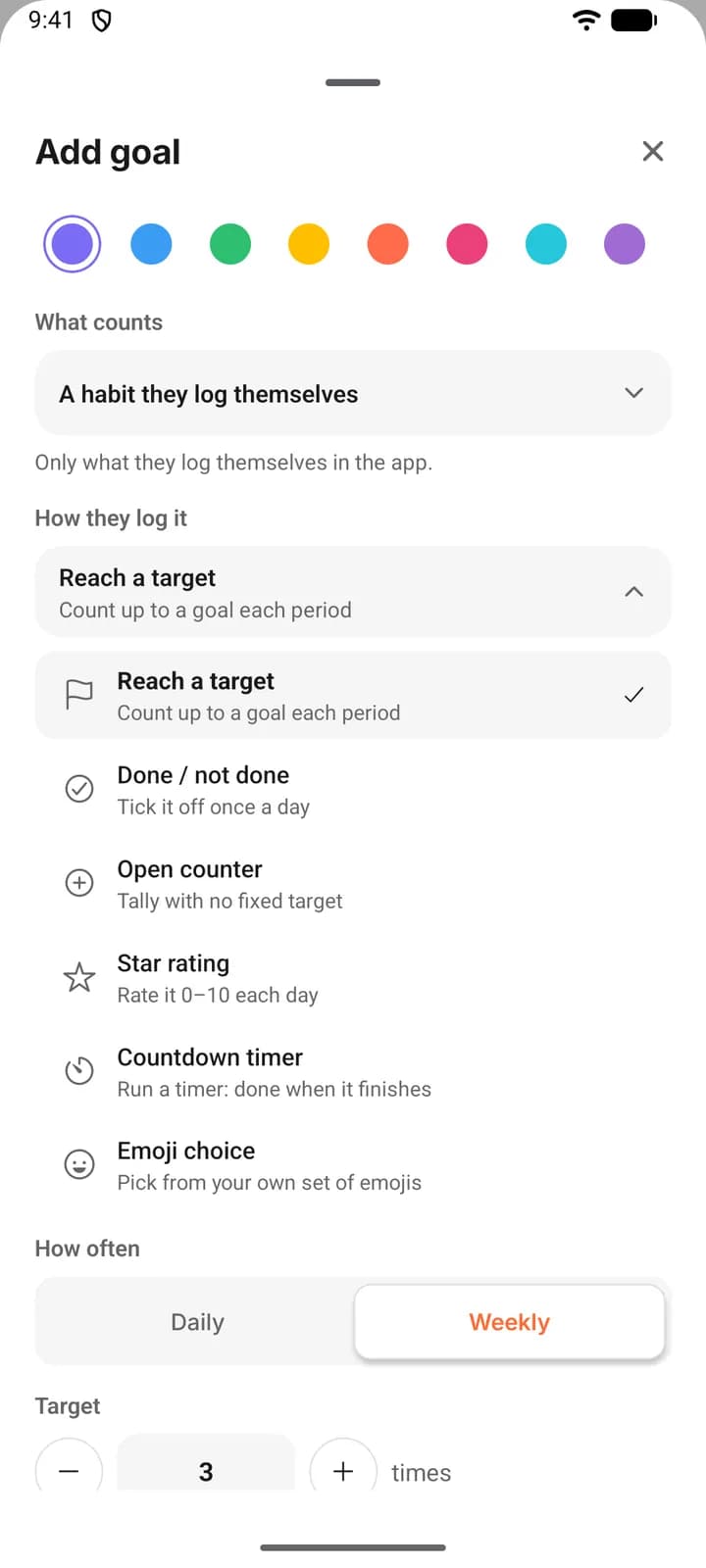
Pick A habit they log themselves and How they log it has six check-ins.
| How they log it | What your client does |
|---|---|
| Reach a target | Counts up to your number, in a unit you name: 8 glasses. |
| Done / not done | Ticks it off once a day. |
| Open counter | Keeps a running tally with no target. |
| Star rating | Rates the day out of 10. |
| Countdown timer | Runs a timer you set. Done when it finishes. |
| Emoji choice | Picks one emoji a day from a scale you choose. |
The tick, rating, timer and emoji are once a day, so those goals are always daily.
What counts toward adherence
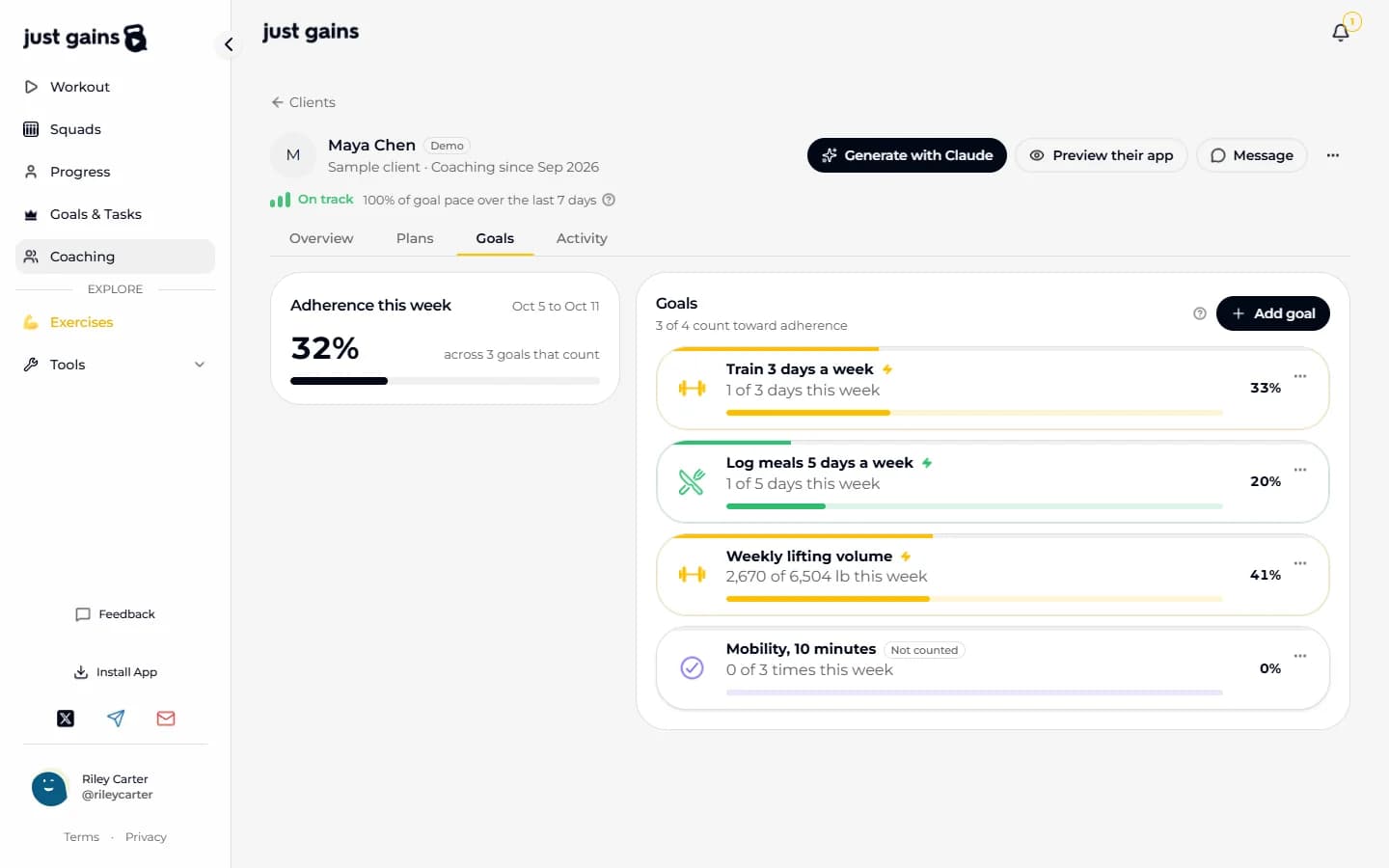
Counts toward adherence starts on. A counted goal feeds the client’s percentage for this week and their status on your roster. Switched off, the goal still tracks and is marked Not counted. An Open counter has no target, so it never counts.
This week’s percentage runs from Monday. A weekly goal is its progress against the week’s target. A daily goal is scored day by day: six meals logged on Monday do not cover an empty Tuesday. The client’s figure averages their counted goals and starts at zero each Monday.
Status looks back over the last seven finished days, so a new week never counts against anyone. Read your roster has the scoring.
Edit or archive a goal
On the web, a goal’s menu has Edit goal and Archive goal; on the phone, open the goal. Editing keeps logged progress. Once a goal has progress, what it counts, how they log it, daily or weekly and which days are fixed, because the logged numbers would mean something else. Name, target and end date stay editable.
Archive goal stops it counting and takes it off the client’s goals for good. Archiving cannot be undone. To change what a goal measures, archive it and add a new one. The Show archived button under the goals, with a count in brackets, lists what you archived as a read-only record, on the web and on the phone.
What your client sees
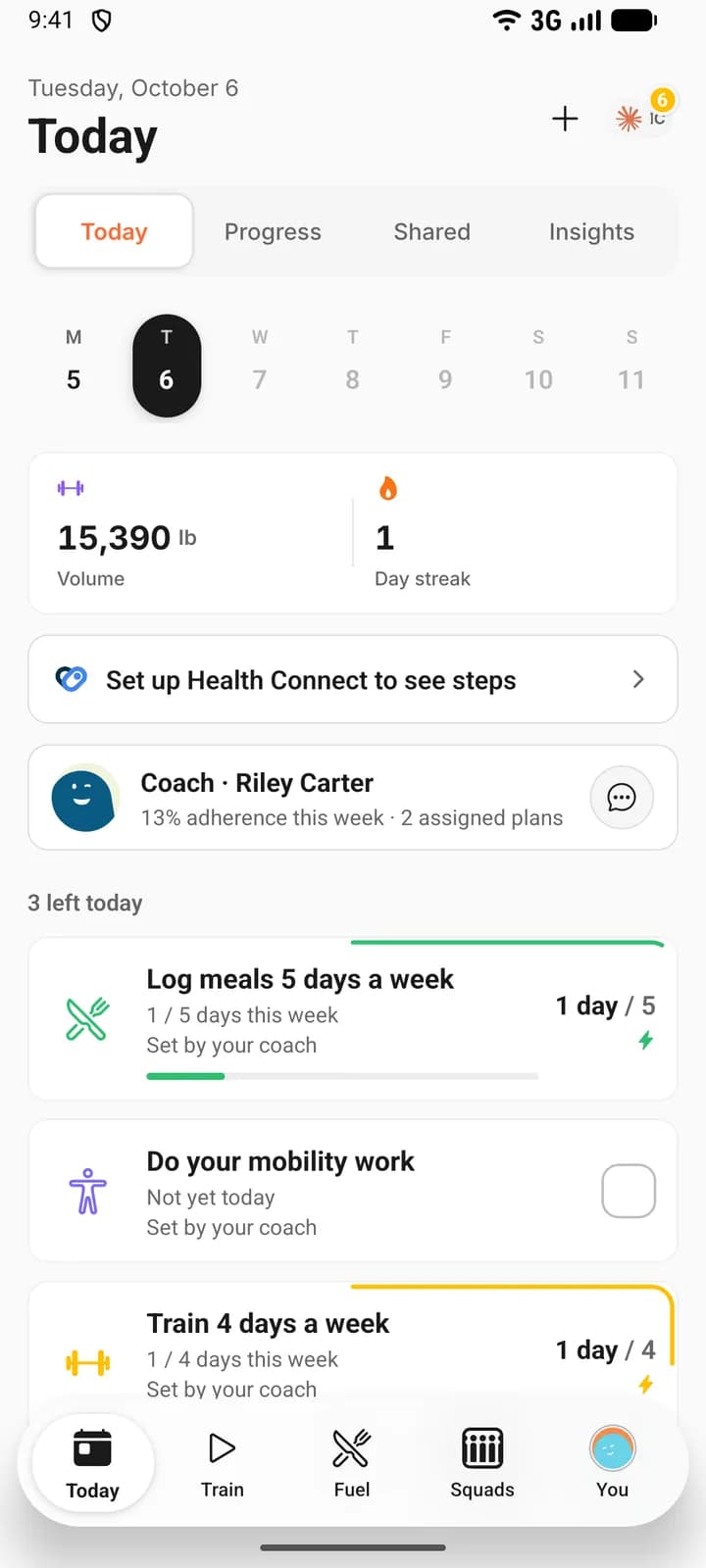
A new goal sends their phone a notification. It sits with their own on the phone’s Today, and under This week on My coach. Its line reads Set by your coach in both places on the phone, and on My coach on the web. They log habits themselves; the app fills in the goals it counts. They cannot edit or delete it, and the status label is shown only to you. When coaching ends, the goals you set are removed.
FAQ
Keep learning
Read your roster: On track, Attention and Issues
How to read the Clients tab, and exactly how On track, Attention, Issues and Not scored yet are worked out from goal pace.
Set calorie, macro and weight targets for a client
Give a client a goal weight and daily calories and macros, assign a meal plan that respects their allergens, and check how the week went.
Preview your client’s app
Open a read-only copy of a client’s JustGains to see how an assigned plan looks on their side, or to read their week before a call.