Set calorie, macro and weight targets for a client
Give a client a goal weight and daily calories and macros, assign a meal plan that respects their allergens, and check how the week went.
Targets are the numbers a client eats and weighs toward: a goal weight, and daily calories, protein, carbs and fat. Set them on the client’s page and their food diary counts against them from that day. A meal plan goes one step further and says what to eat.
Where to find it
| On | Go to |
|---|---|
| Web | In Coaching, open a client’s Full profile. Targets is on Overview; meal plans are on Plans |
| Phone | You, Coaching, open a client. Targets is on Overview; meal plans are on Plans |
Set a goal weight and daily nutrition
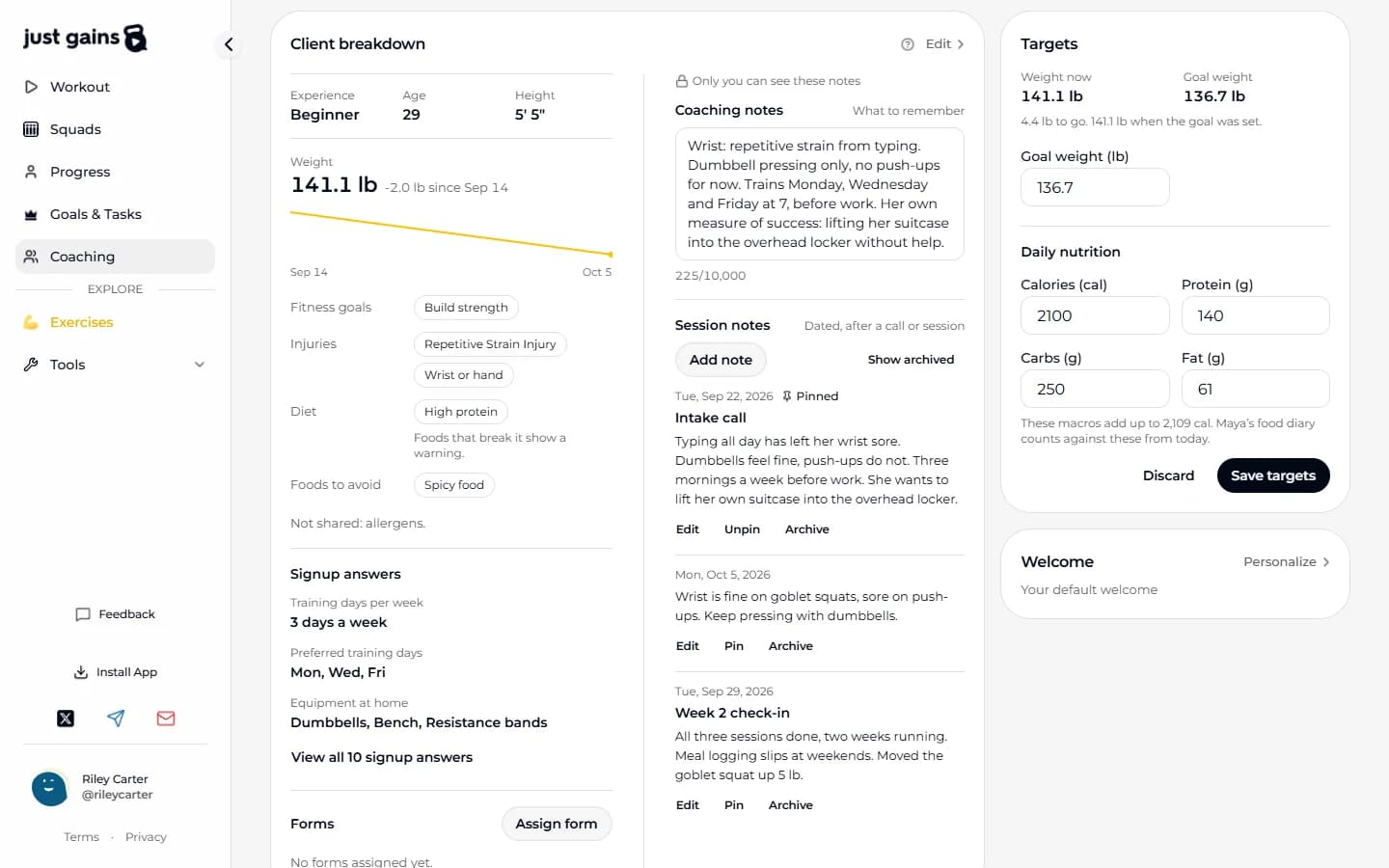
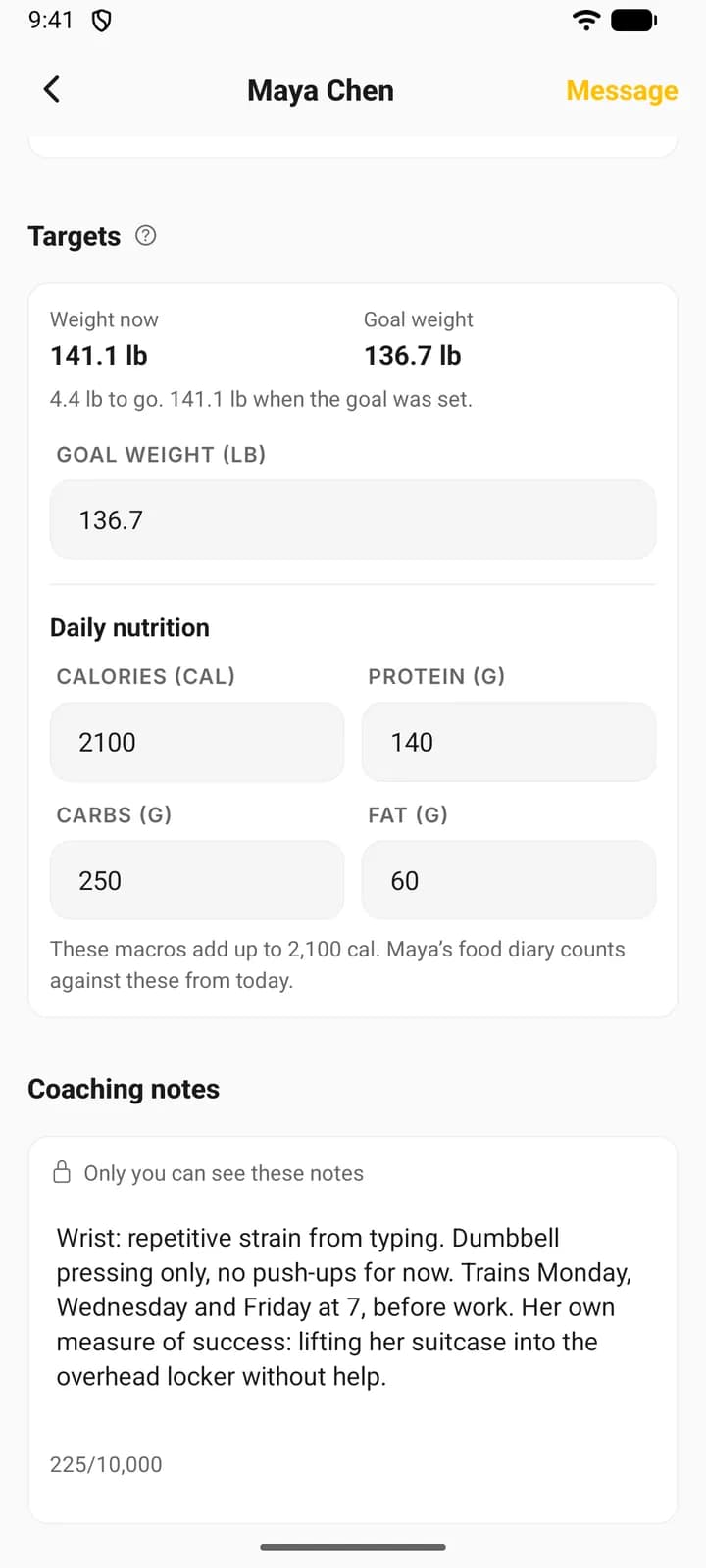
- In Targets on Overview, type a Goal weight in your own units. Empty the box to remove the goal.
- Under Daily nutrition, fill in Calories, Protein, Carbs and Fat. A nutrition target needs all four.
- Read the line under the boxes: it adds up your macros so you can check them against the calories.
- Press Save targets. One save writes whichever numbers you changed.
The check uses 4 calories a gram for protein and carbs and 9 for fat. Type 2,000 calories with 150 g protein, 200 g carbs and 60 g fat, and it tells you those macros add up to 1,940. It shows the sum and still lets you save a mismatch.
What changes for your client
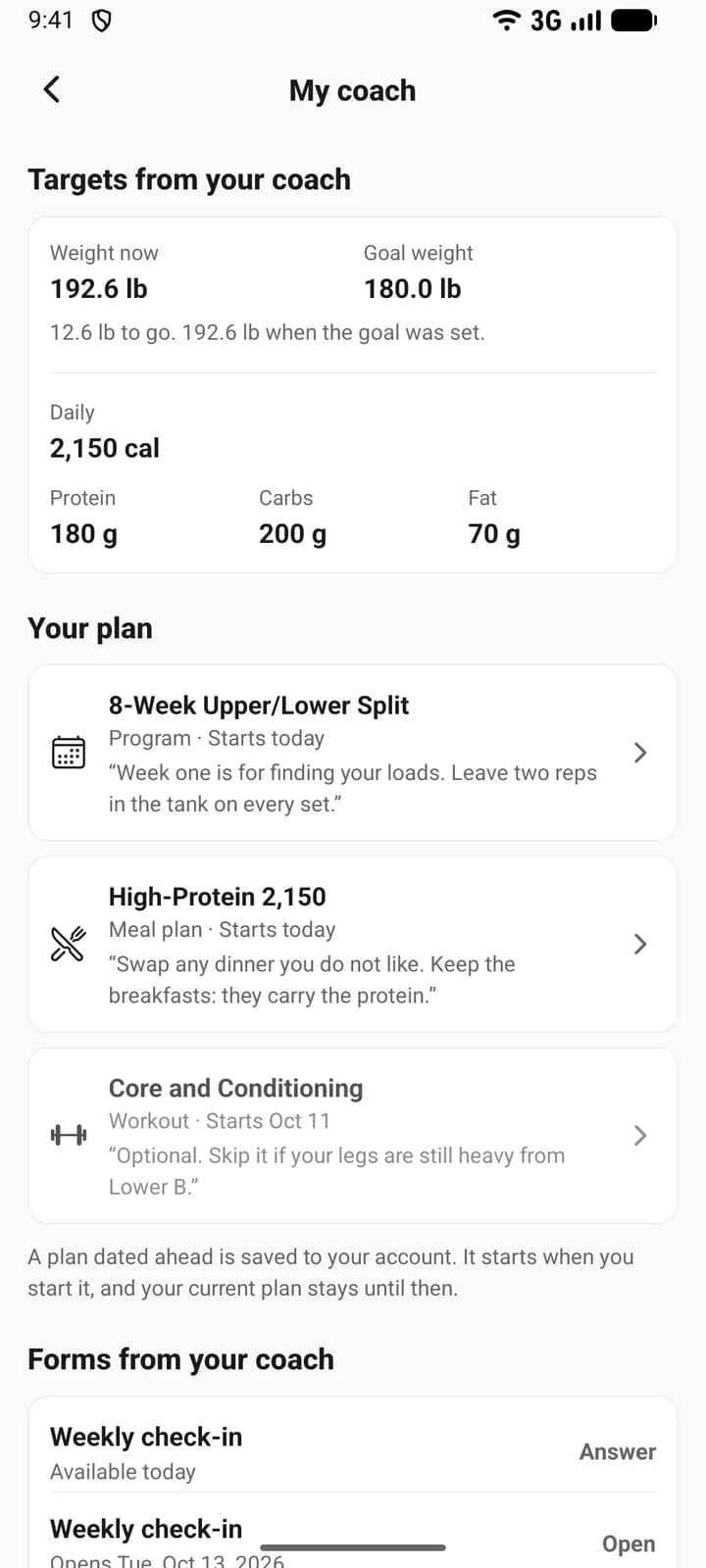
Their phone gets a notification, at most one an hour. Their food diary counts against the new numbers from the day you save, by their own calendar. On My coach they see Targets from your coach: their weight now, the goal weight, how far there is to go and what they weighed when you set it, then the daily calories and macros.
Nothing in their history moves. Past weigh-ins stay as logged, their fasting window carries over, and earlier targets are kept, so last week is still measured against last week’s numbers. The targets remain the client’s own: if they change their calories later, Targets shows their numbers, and Targets from your coach stops showing a nutrition target the coach did not write. When coaching ends, the goal weight you set is cleared and the calories and macros stay as their own targets.
Assign a meal plan
- Open Plans, press Assign, then choose Meal plan.
- Choose a plan from your library. The phone also lists Ready-made plans from the published library here. On the web, add one to your library first with Ready-made plans on the Meal plans shelf.
- Set Starts and press Assign.
The client gets their own copy, so editing your plan later never changes theirs. Assign and schedule plans covers start dates and replacing a plan they are already on.
See and edit their copy
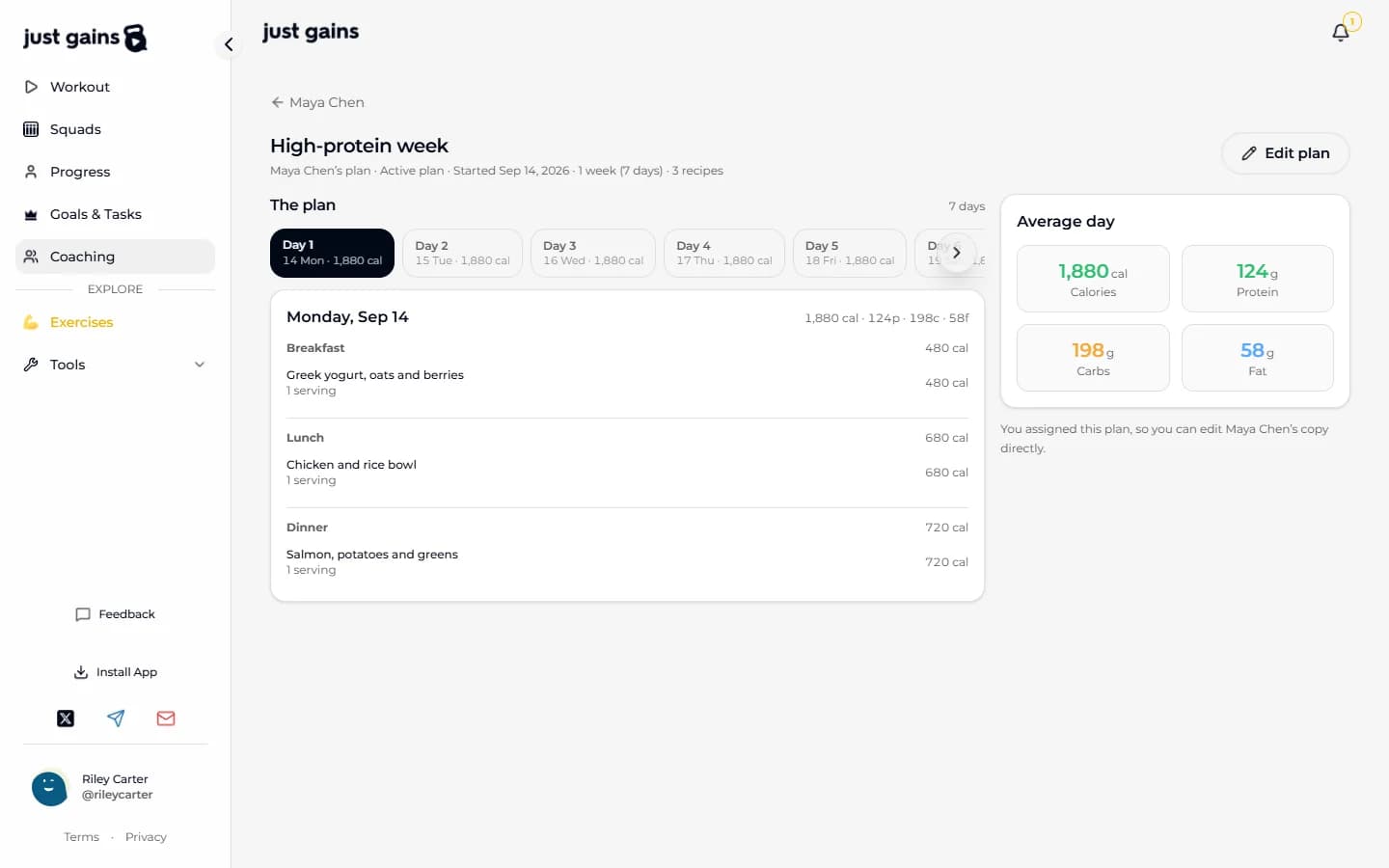
View their plan, on the meal plan in Plans, shows what they are eating day by day, including the options they picked. Meal plans are edited on the web; the phone shows them. On the web, Edit plan appears on a plan you assigned, and your changes reach their phone on its next sync. A plan they made or picked themselves is read-only for you.
Read the nutrition week
On the web, Nutrition this week on Overview has two numbers. Days with food logs counts the days so far this week with anything in the diary. Macro adherence averages a daily score over past days that had both food logged and a target; today is left out. Each of calories, protein, carbs and fat scores full marks within 8% of its target, and calories weigh more than any one macro.
FAQ
Keep learning
Set goals for a client and read their adherence
Add a goal JustGains counts for you or a habit your client logs, choose what counts toward adherence, and see how the week is scored.
Assign and schedule plans for your clients
Give a client a program, workout, meal plan or run plan, choose the start date, and know what a future date really does.
Build your coaching library
Keep the programs, workouts, meal plans and run plans you reuse in one place, and see which clients are on each one.