Strong
SupportedThe minimalist classic. Years of clean logging deserve a library bigger than 250 exercises.
The JustGains Importer · Bring your history
Import your workout history from Hevy, Strong, Fitbod, StrengthLog, or Caliber. Upload your CSV, review the exercise matches, and bring your past sets into JustGains.



 Strong, Hevy, Fitbod, StrengthLog & Caliber
About two minutes·Web or in the app·PRs arrive pre-calculated
strong-export.csv
Strong export · 2,391 rows
Drop your export here
.csv straight from the app — no cleanup needed
Detected: StrongExport from their app. Drop it here.
The lock-in
Every tracker is delighted to take your reps. Handing them back when you want to leave? Suddenly the interface gets shy. So lifters stay put — not out of love, out of hostage math.
01
Three years of PRs in one app isn’t loyalty — it’s leverage. Theirs, not yours. A training diary you can’t take with you was never really yours.
02
Nobody is typing 400 workouts back in by hand. Every tracker knows it. Some of them are counting on it.
03
“Just start over” deletes the best part of training: proof of how far you’ve come. Progress needs a past.
The receipts
Real posts from real lifters trying to get their own training history back. We just built the exit.
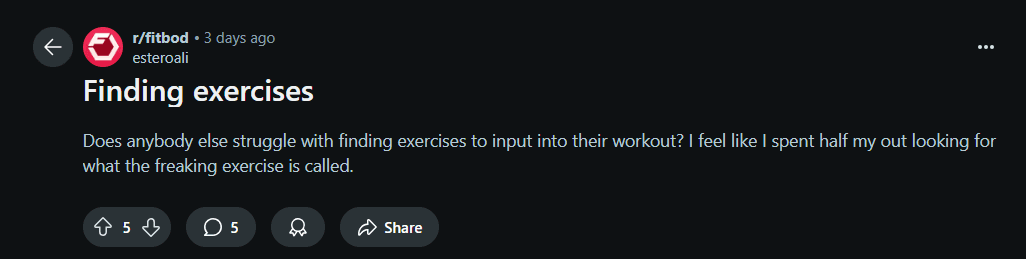
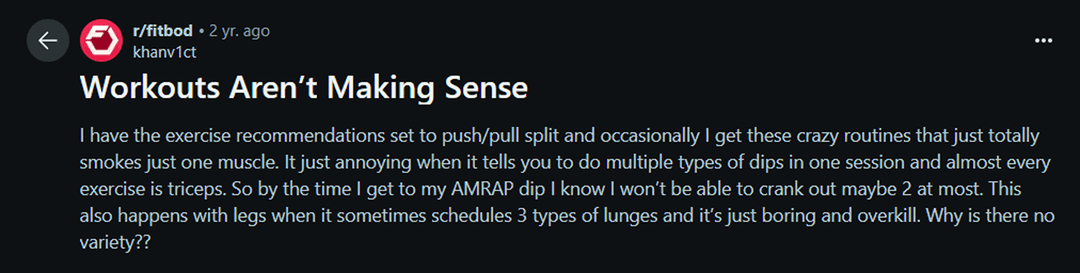
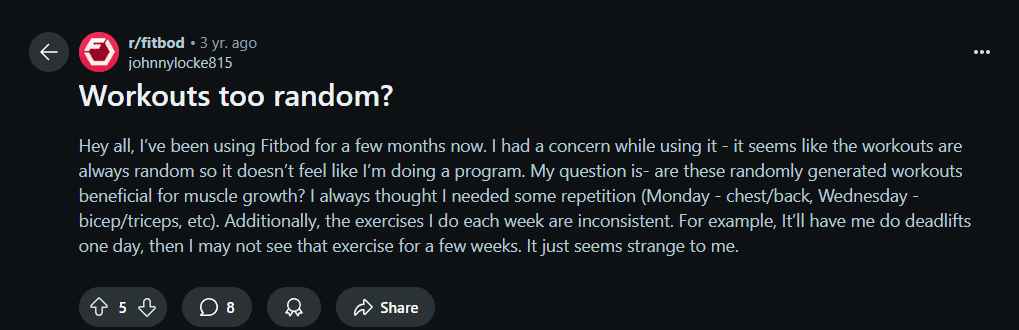
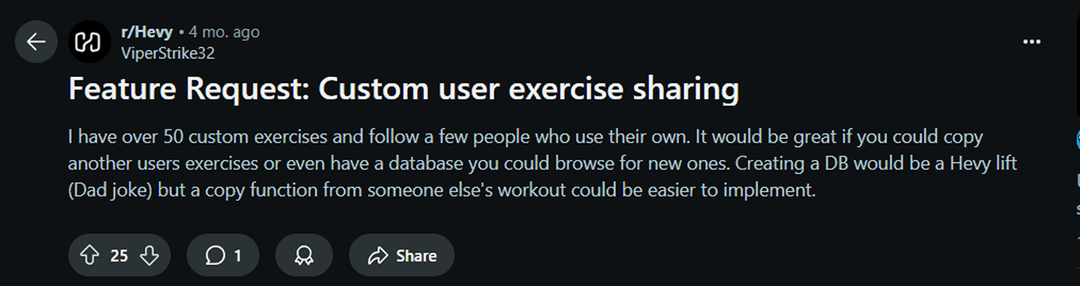

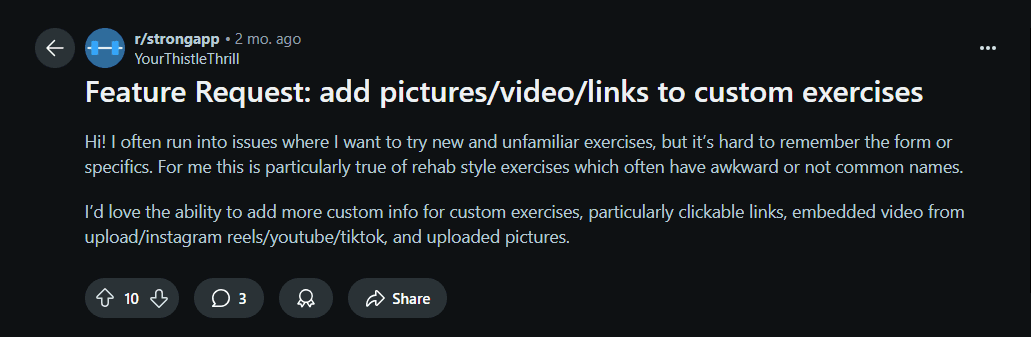




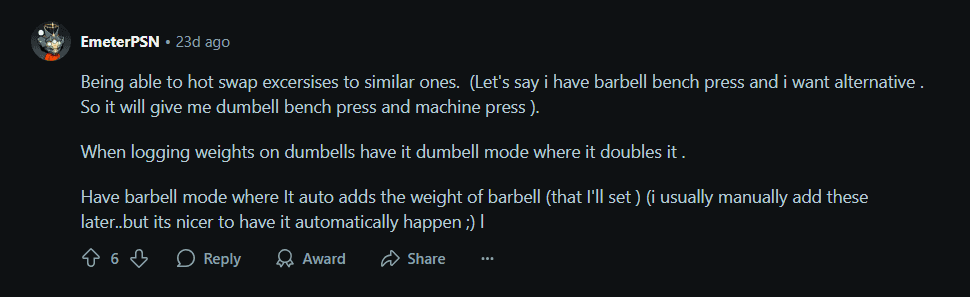


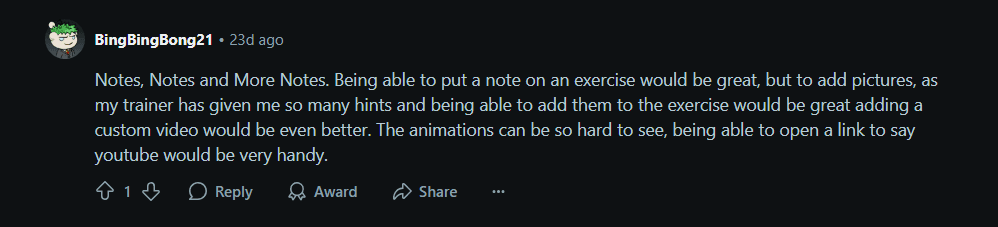

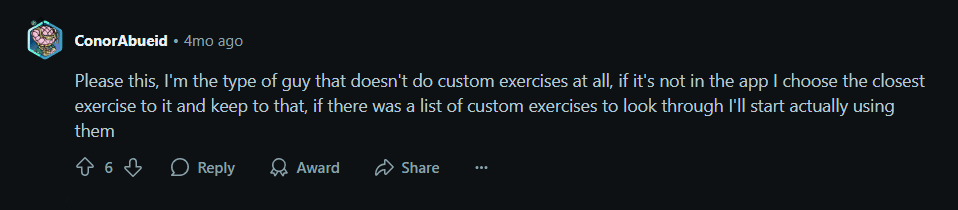
Sourced from public posts. The usernames are cropped; the pain is real.
How it works
The whole move is one CSV export and a drag-and-drop. We do the heavy lifting; you get approval rights on every match.
01
Every app has one, buried somewhere in Settings. Tap it, get a CSV. That’s the hardest step of the whole move — and it’s not hard.
02
Upload it at justgains.com/import, or right inside the app. We read the header row and know which app sent you before you tell us.
03
We auto-map your exercises against a 6,000+ library. Anything ambiguous, you match once by hand. Anything we truly can’t place gets named on the slip — never silently deleted.
Import twice by accident? We catch the duplicate before it touches your history.
Start your importThe lineup
Export a CSV from any of them and drop it on us — we read the header row and know who sent you.
The minimalist classic. Years of clean logging deserve a library bigger than 250 exercises.
The social one. Bring the history — the squads and leaderboards over here are waiting.
The algorithm one. It picked your workouts; the receipts are still yours to take.
The Swedish spreadsheet with a heart of gold. Kg or lb — we ask once, then convert properly.
The coaching one. Your history comes over — and honestly, your coach can too.
If it can export a CSV, we want to meet it. New formats get added by request — loudly encouraged.
Every one of them buries the export button somewhere in Settings. We checked, so you can dig with confidence.
More room
Imports usually break because the destination library is tiny — your beloved iso-lateral whatever has nowhere to land. Ours is 6–24× the size of the one you're leaving, so matches are the rule, not the luck of the draw.
The manifest
We treat your export like a moving truck, not a suggestion box. What was logged is what arrives — and your PRs are recalculated the moment they land, so your all-time bests show up already wearing their medals.
And if some ultra-obscure movement truly isn't in our library, it gets named on the slip — skipped and reported, never silently deleted.
Nothing left behind
Moving manifest
FAQs
What people ask us right before their history comes home.
JustGains recognizes workout history CSV exports from Strong, Hevy, Fitbod, StrengthLog, and Caliber. Upload the original file to preview your exercise matches before saving.
The importer reads the workout dates, sets, reps, and weights in your CSV. It also brings over RPE and notes when the file has them. JustGains recalculates personal records from the imported sets.
Most match automatically against our 6,000+ exercise library. Anything ambiguous, you map by hand once — your pick, not our guess. And if a movement genuinely isn’t in our library, we skip it and tell you exactly what was skipped, by name. No silent deletions.
We check. Re-importing a file you’ve already brought in gets flagged before it creates duplicates, so your history stays clean even if your downloads folder doesn’t.
Both. Weights convert to your preferred unit and stay accurate underneath. StrengthLog exports don’t label their unit, so for those we simply ask which one you lifted in — then handle the rest.
Importing is included with your Pro membership, with no extra import fee. Your sets, reps and training history come with you.
No. Import on the web at justgains.com/import or right inside the mobile app — wherever your export file ends up, we’re there.
Still deciding? Read our honest switching guides: Hevy alternatives · Strong alternatives · JEFIT alternatives · Fitbod alternatives · MyFitnessPal alternatives · Strava alternatives
Moving day
Ten minutes from now, every rep you've ever logged can live in an app that treats your history like it's yours. Because it is.
Keep your history·No re-logging·Skipped items always reported