What your coach can see on JustGains
What accepting a coach shares, what stays private, what your coach can change in your app, and how to stop sharing.
Accepting a coach shares six kinds of information with one person, for as long as coaching lasts.
Your coach sees none of it before you accept, and loses access the moment coaching ends.
Where to find it
| On | Go to |
|---|---|
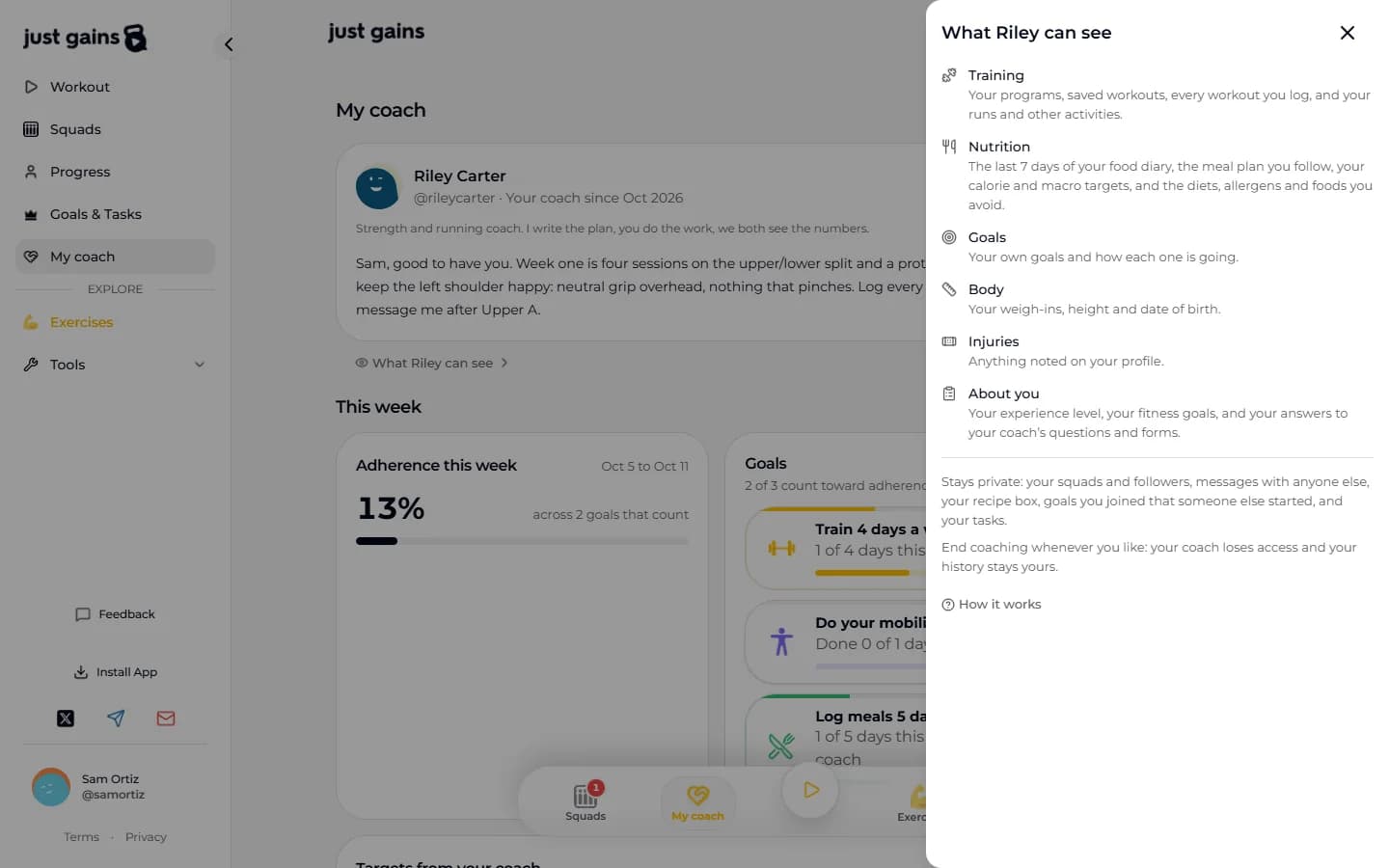
| Web | The How it works link on the invitation, or the What Riley can see row under your coach’s name on My coach in the sidebar |
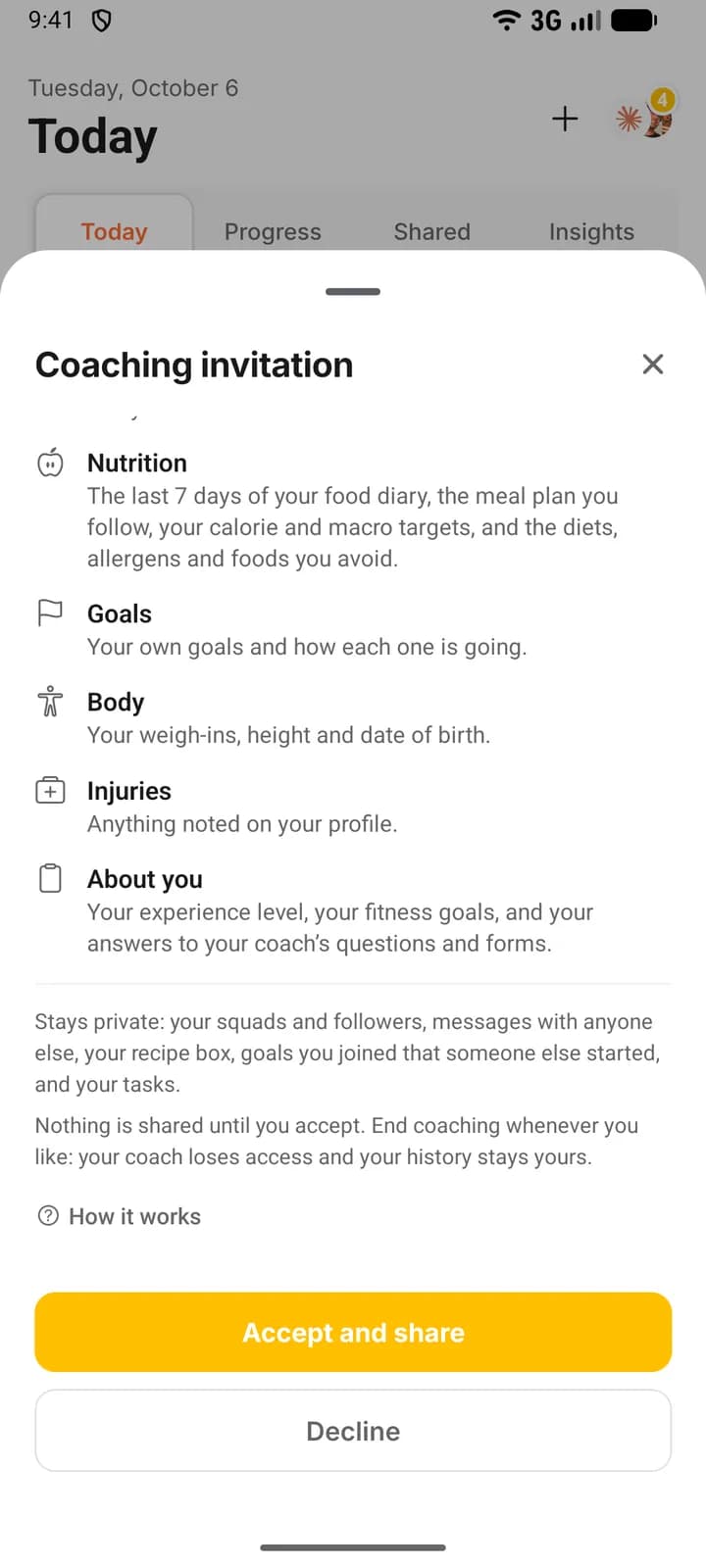
| Phone | The How it works link on the invitation, or the What Riley can see row under your coach’s name on My coach, which opens from Today |
What accepting shares
| Shared | What your coach sees |
|---|---|
| Training | The programs you are on, your saved workouts, every workout you finish set by set, and the activities you record (name, date, distance, time). Example: a session you kept off your feed still shows them 185 lb for 5 on squat. |
| Nutrition | The last 7 days of your food diary, the meal plan you follow and any your coach gave you, your calorie and macro targets, and the diets, allergens and foods you avoid. Example: Monday’s lunch shows this week and is gone a week later. |
| Goals | Every goal you created, with your progress, including goals that are not about training. Example: “No alcohol on weekdays” and the days you ticked it. |
| Body | Your last 90 weigh-ins, your height and date of birth, and the goal weight your coach set. Example: the 182 lb you logged this morning. |
| Injuries | Whatever is noted on your profile. Example: “Lower back”. |
| About you | Your experience level, your fitness goals, and your answers to your coach’s questions and forms, drafts included. Example: the sleep hours you gave at signup. |
Your coach also sees when you last logged anything, and your time zone.
What stays private
- Your squads and followers.
- Messages with anyone else.
- Your recipe box.
- Goals you joined that someone else started, and your tasks.
- Food diary days older than 7 days, and meal plans you are not using.
A goal you started and shared with friends is still yours, so your coach sees it.
What your coach can change
- Assign you a program, workout, meal plan or run plan: a copy goes into your account and is yours. One starting today can replace your current plan, and what you logged stays.
- Edit those copies, and pause a program they assigned. Plans you made yourself are read-only to them.
- Set goals, which you cannot edit or delete while you are coached.
- Set your goal weight, calories and macros. Those calories and macros replace your food diary targets.
- Send forms, and correct your form answers and profile details (height, date of birth, injuries, dietary needs).
- Message you, comment on your workouts, and choose which themes your phone app can use.
Your coach cannot log a workout, a meal or a weigh-in for you, tick off a goal, change your name, username, email or password, or read your other conversations.
Your coach can keep private notes about you. You cannot see them, and your coach cannot open them once coaching ends.
Who else can see it
No other JustGains member. Goals from your coach and plans they assign are private to the two of you: kept off your profile, out of Discover, and closed to anyone else.
A squad is the exception: a private group chat your coach runs for clients. If they add you, its members see your name and your posts. With automatic posts on, the chat also shows when you finish a workout or activity you shared to your feed, or hit a streak milestone.
How to stop
Open My coach, scroll to the bottom and press End coaching. It takes effect at once, and your coach can end it too.
Your coach loses everything above: your information, the plans they assigned, the goals they set, their notes. You keep every plan as your own copy, everything you logged, your own goals and your conversation.
Plans you were following from them stop, and stay in your account to start again. Their goals leave your goal list. Unsent forms are cancelled, and your answers stay readable in My coach on the web. The goal weight they set is cleared, but the calories and macros they set remain your targets until you change them.
FAQ
Keep learning
Join your coach on JustGains
Accept your coach’s invitation, see what it shares before you agree, and find your plan, goals, targets and forms afterwards.
How coaching works on JustGains
A coach runs your training, food and goals inside the app you already use. What each side sees, what is shared, and where to start.