Treadmill Run
Hit your stride indoors! A simple & effective cardio workout. Adjust your pace, track your progress, & get moving!

Required Equipment

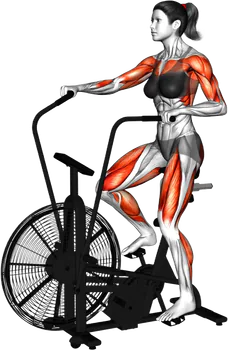
Muscle Groups
Primary
Secondary


Instructions
Setup the Treadmill:
Ensure the treadmill is on a flat and stable surface.
Plug it in and press the power button to turn it on.
Set the speed to a comfortable walking pace to start.
Starting Position:
Stand on the treadmill with your feet on the side rails, not on the belt.
Grip the handrails lightly for balance if needed.
Begin to Exercise:
Slowly step onto the treadmill belt with one foot, followed by the other foot.
Keep your body upright and maintain a slight forward lean.
Adjusting the Speed:
Start at a walking speed (around 3 to 4 mph).
Once you feel comfortable, gradually increase the speed to a jogging pace (around 5 to 6 mph).
Proper Form:
Keep your head up and look straight ahead.
Relax your shoulders and allow your arms to swing naturally at your sides.
Your elbows should be bent at about 90 degrees as you run.
Running Technique:
Land softly on your midfoot, allowing your heels to touch down lightly.
Swing your arms in sync with your legs to maintain balance and power.
Breathe steadily throughout the exercise.
Duration:
Aim to run for 10 to 30 minutes, depending on your fitness level.
Listen to your body; if you feel too tired, reduce the speed or take a short break.
Finishing the Exercise:
Gradually slow down the treadmill speed back to a walking pace.
Once at a comfortable stop, step off the treadmill carefully.
Post-Workout:
Stretch your legs and arms to cool down.
Hydrate adequately after your workout.
Always consult with a healthcare provider before starting any new exercise program, especially if you have any pre-existing conditions or concerns.